

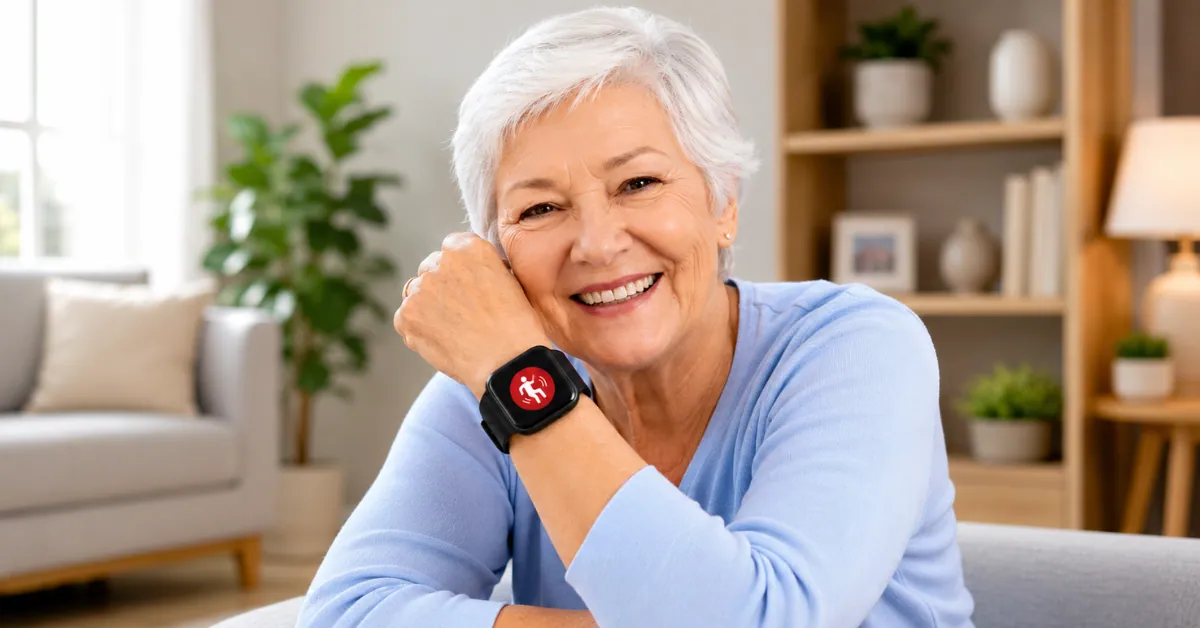
Falls are the leading cause of injury for older adults — and the real danger is often the time spent on the floor waiting for help. CDC reports that more than one in four adults aged 65+ falls each year.
The best fall monitor for seniors can automatically send an SOS with GPS location to emergency contacts or call 911 directly, without pressing a single button. These wearable fall detectors for seniors range from full smartwatches to dedicated medical alert devices.
But not all fall detection watches work the same way. Some only detect falls during exercise. Some require a monthly subscription. Some need your phone nearby to work at all — others don’t. I’ve tested the current options in 2026 to tell you exactly what each one does, who it’s for, and what it won’t do.
⚡ Smartwatch Insight Quick Answer
iPhone users → Apple Watch Series 11 Android users → Samsung Galaxy Watch 9 or Ultra 2 Best battery → Google Pixel Watch 4 No phone needed at all → MGMove Medical Alert or a cellular Apple/Galaxy Watch Seniors living alone → MGMove Medical Alert, 24/7 professional monitoring
❌ Garmin: GPS activities ONLY — not for home falls
The specifics on battery life, price, and subscription requirements for each are broken down below — the short version above won’t tell you everything you need to decide.
If you’re not in a rush to buy, it’s also worth checking out our Best Upcoming Smartwatches in 2026 guide. Several new watches expected later this year could bring even better health and safety features.
11 Best fall alert watches for older adults in 2026
1. Apple Watch Series 11 — Best for iPhone Users
Price: ~$399–$429 | Fall detection: Automatic, 24/7 | Battery: ~24 hours | Phone required: iPhone
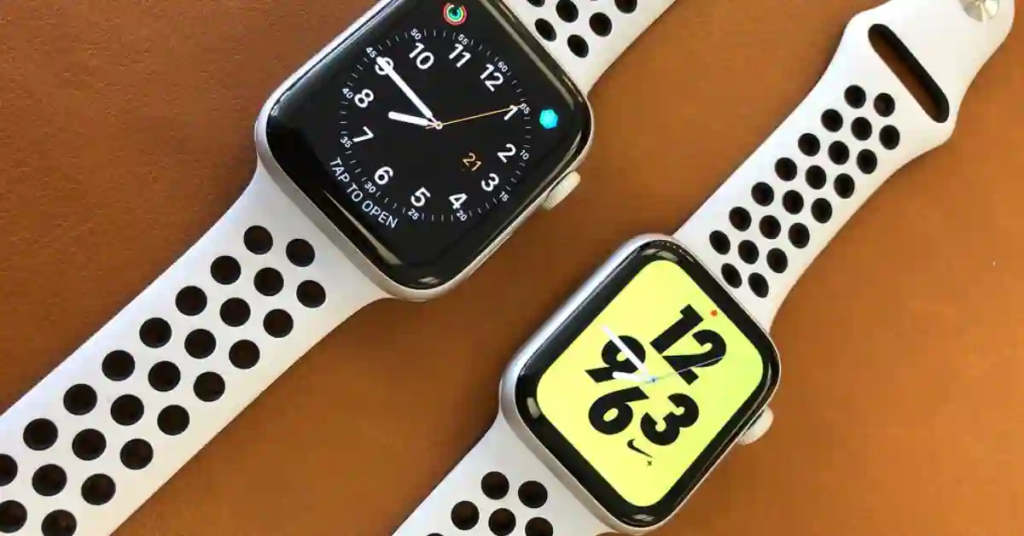
Apple Watch Series 11 is the current flagship and the most polished fall detection experience available for any iPhone user. When it detects a hard fall and gets no response, it automatically calls emergency services and sends your GPS location to emergency contacts. No button pressing needed — it happens on its own within about 30 seconds.
The timeline is worth knowing up front: after a hard fall with no movement, Apple Watch waits about 60 seconds, then counts down 30 more before calling — roughly 90 seconds total. That’s intentional design to avoid false alarms, not a flaw, but it’s worth understanding before you buy.
The Series 11 is a meaningful upgrade over the Series 10 for seniors specifically. Battery life improved from 18 to 24 hours — that extra six hours reduces the daily charging window and lowers the risk of the watch dying before bedtime. The new Ion-X glass on aluminum models is twice as scratch-resistant. And the S11 chip makes everything faster and more responsive.
Beyond safety, the health suite added hypertension notifications and a Sleep Score in 2025. ECG, blood oxygen monitoring, crash detection for car accidents, and heart rate alerts are all included. The always-on Retina OLED display is large and bright — genuinely easy to read for older eyes.
The honest limitation: 24 hours still means daily charging. If a senior reliably forgets to charge, the watch won’t protect them when it’s dead. It’s also completely iPhone-only — not one feature works on Android.
Pros:
- Best-in-class 24/7 automatic fall and crash detection — calls 911 directly
- 24-hour battery — improved from Series 10’s 18 hours
- Hypertension notifications and Sleep Score added in 2025
- Large, bright always-on display easy to read for seniors
- No monthly subscription required
Cons:
- Daily charging still required — dead watch = no protection
- iPhone only — completely non-functional for Android users
- Premium price starting at $399
Best for: smart fall detection for elderly living alone who use an iPhone, charge their watch nightly, and want Apple’s seamless automatic emergency response.
If you’re considering the Apple Watch Ultra 2 for fall detection and wondering whether to wait for the next generation, the Apple Watch Ultra 4 is expected to launch in September 2026 with significant sensor upgrades.
Our complete Apple Watch Ultra 4 leaks and expected features guide covers everything confirmed so far — worth reading before you spend $799 on the current model.
![Apple Watch Series 11 [GPS 42mm] Smartwatch with Rose Gold Alumin...](https://m.media-amazon.com/images/I/31J+F-pXaWL._SL500_.jpg "The 90-Second Truth About Smartwatch Fall Detection (2026) 2")

2. Samsung Galaxy Watch 9 — Best for Android Users
Price: $349+ | Fall detection: Automatic, 24/7 | Battery: ~40 hours | Phone required: Android
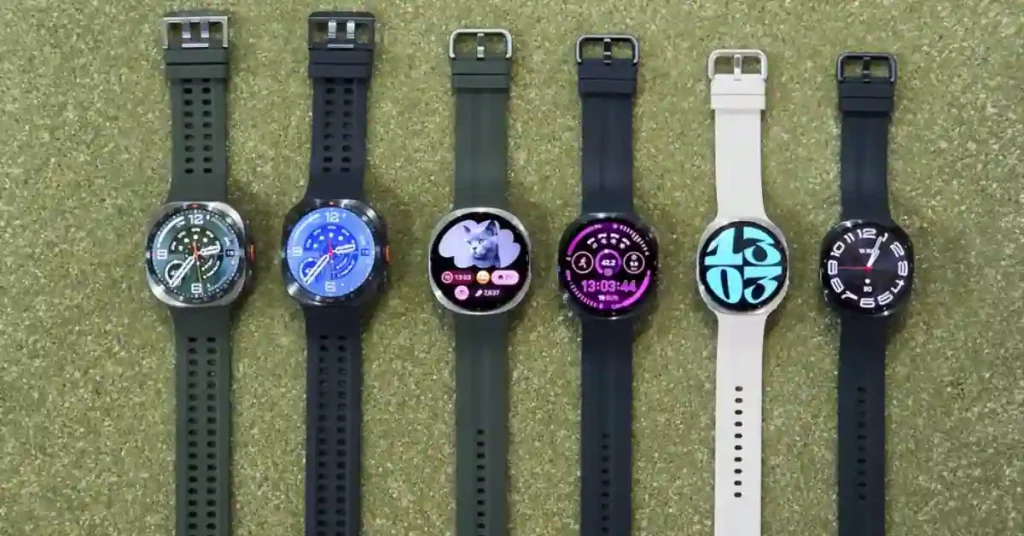
Samsung officially launched the Galaxy Watch 9 on July 22, 2026 at Unpacked in London, replacing the Watch 8 as the current Android flagship for fall detection.
It keeps Samsung’s squircle design, now 12% thinner, and runs the new Snapdragon Wear Elite chip shared with the Ultra 2 — confirmed by Samsung, not carried over from the older Exynos chip some pre-launch reports expected.
Fall detection works the same way as previous generations: a hard fall sends an SOS alert with GPS location to emergency contacts automatically, with adjustable sensitivity — which matters for seniors who are less mobile and need the threshold set lower for better detection during lighter falls.
One important setup note carries over from the Watch 8: fall detection is NOT on by default. You must enable it in the Galaxy Wearable app under Safety and Emergency. This remains the most common mistake buyers make — they assume it’s active when it isn’t.
New for 2026, Samsung’s health platform adds a Heart Health Score, Daily Cardio Load, Sleep Apnea detection (FDA-cleared), and a Vitals feature that learns your personal overnight baseline. Battery is confirmed at roughly 40 hours for the standard model — an improvement over the Watch 8’s 1-2 day range.
Pros:
- Automatic fall detection with adjustable sensitivity — set to High for less mobile seniors
- New Snapdragon Wear Elite chip — confirmed, faster than Watch 8’s Exynos
- FDA-cleared Sleep Apnea detection, Heart Health Score, comprehensive health tracking
- Thinner design than Watch 8
- No monthly subscription required
Cons:
- Fall detection is OFF by default — must be manually enabled in settings
- ~40-hour battery — still requires charging every 1-2 days
- Best features tied to Samsung Galaxy phones
- Sends SOS to contacts, not a direct 911 call
Best for: Android users who want the current Galaxy Watch flagship with confirmed 2026 health and fall detection features.

If you’re deciding between the latest models, check out our Galaxy Watch 9 vs Galaxy Watch Ultra 2 guide.
If you’re after a bargain instead, you can pick up a Galaxy Watch 8 on Amazon from $299.
3. Samsung Galaxy Watch Ultra 2 — Best Rugged Android Option
Price: $699 | Fall detection: Automatic, 24/7 | Battery: ~36+ hours (larger cell than Watch 9) | Phone required: Android
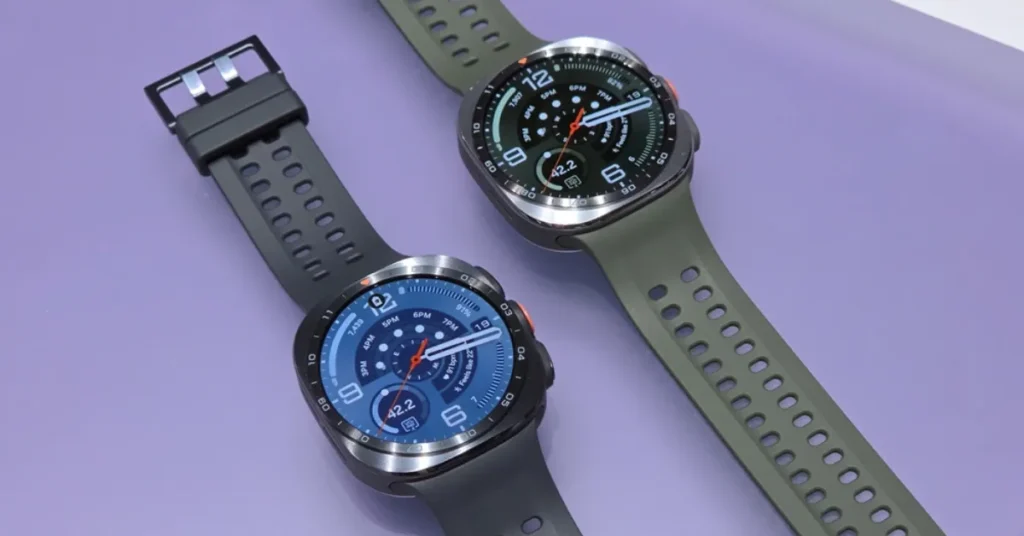
The Ultra 2 launched alongside the Watch 9 on July 22, 2026, and carries the same confirmed fall detection system — automatic SOS with GPS location sent to emergency contacts, adjustable sensitivity, off by default until enabled in the Galaxy Wearable app.
What sets it apart for fall detection specifically is durability and battery: an 800mAh cell (a confirmed 35% increase over the original Ultra), IP69K rating, 10ATM water resistance, and EN13319 dive certification.
For an active senior who’s outdoors often, or a caregiver who worries about the watch surviving drops and knocks, the Ultra 2’s rugged build is a real advantage over the standard Watch 9.
It shares the Watch 9’s Snapdragon Wear Elite chip and full health suite — Sleep Apnea detection, Heart Health Score, Vitals — plus a brighter 5,000-nit display that’s easier to read outdoors in direct sunlight, a genuine plus for seniors who spend time outside.
Pros:
- Same confirmed fall detection as Watch 9, in a more durable case
- Larger 800mAh battery — meaningfully longer than Watch 9’s
- 5,000-nit display — easiest Samsung watch to read in bright outdoor light
- IP69K and dive-rated durability
- No monthly subscription required
Cons:
- $699 starting price — the most expensive Android option on this list
- Fall detection still OFF by default — must be enabled manually
- Sends SOS to contacts, not a direct 911 call
- Bulkier case than the standard Watch 9
Best for: Android users who want the most durable, longest-battery fall detection watch available, and don’t mind paying a premium for it.
Not sure if the Ultra 2 is worth it? Our full review can help you decide.

4. Google Pixel Watch 5 — Best Overall Safety Features for Android
Price: $399 (41mm) / $429 (45mm) | Fall detection: Automatic, 24/7 | Battery: Up to 30hr (41mm) / 40hr (45mm) with always-on display | Phone required: Android
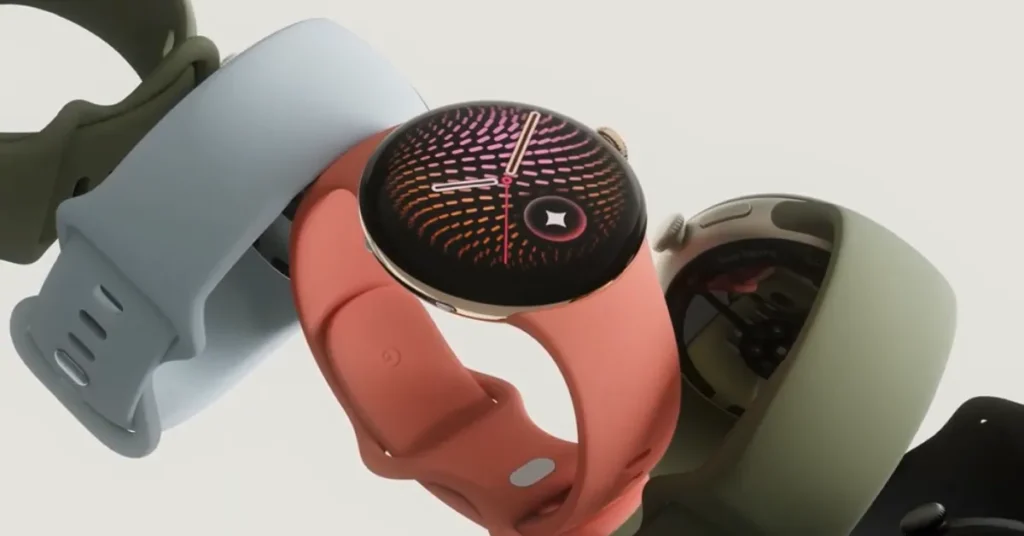
Google’s newly launched Pixel Watch 5 carries over the Watch 4’s Fall Detection and Car Crash Detection, both automatic, both calling emergency services if you don’t respond, and adds one genuinely new safety feature worth knowing about: Breathing Emergency Detection, which Google calls an industry-first and is monitoring oxygen levels to trigger emergency calls if you become unresponsive from a significant drop. It’s launching in Europe first, so don’t count on it being available where you live yet.
Satellite SOS now extends to LTE models for areas without cellular coverage, and Emergency Sharing sends your location and battery level to trusted contacts during solo workouts.
Google’s own support documentation confirms the watch will vibrate, sound an alarm, and display an on-screen notification after a detected fall, then automatically call emergency services if you don’t respond within about a minute.
The trade-off against the Pixel Watch 4 for this specific use case: battery life is essentially unchanged, around 30-40 hours depending on case size, well short of the Watch 4’s headline 60-hour figure some retailers still advertise.
If daily charging reliability is your top priority for a senior who forgets to charge, that’s worth weighing against the newer safety features.
Pros:
- Fall and car crash detection, both call emergency services automatically
- New Breathing Emergency Detection (Europe first, expanding later)
- Satellite SOS now available on LTE models
- Deep Google Health and Fitbit integration
- No monthly subscription required
Cons:
- Battery life similar to Watch 4, shorter than some competitors on this list
- Breathing Emergency Detection region-limited at launch
- Android only
- $50 more than Watch 4’s launch price
Best for: Android users who want the newest safety feature set available, and don’t mind the same battery trade-offs as the outgoing Watch 4.

If you already own a Pixel Watch 4, there’s no urgent reason to upgrade for fall detection specifically, since the core system hasn’t changed. See our full Pixel Watch 5 review for the complete picture beyond safety features.
5. Google Pixel Watch 4 — Best Battery Life for Android
Price: ~$350 | Fall detection: Automatic, 24/7 | Battery: Up to 60 hours | Phone required: Android
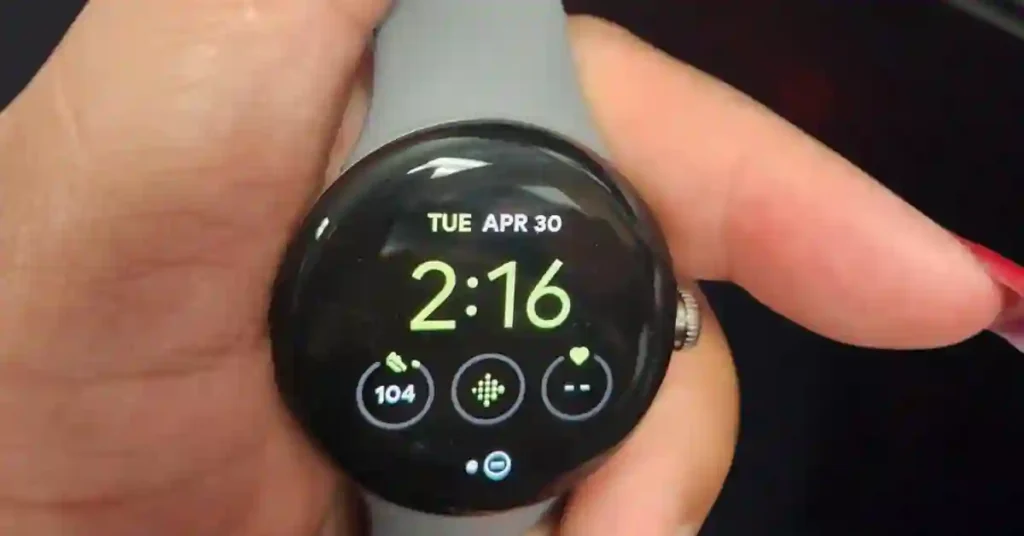
The Pixel Watch 4 stands out for one reason that matters more than almost anything else when buying a fall detection watch for a senior: 60-hour battery life. For someone who forgets to charge daily, a watch that lasts two and a half days dramatically reduces the risk of the battery dying when it matters most.
Google’s fall and crash detection uses machine learning trained on real-world fall data. If a hard fall is detected and the wearer doesn’t respond, it automatically sends GPS location and emergency information to chosen contacts or emergency services. Deep integration with Fitbit and Google Health means health tracking is genuinely useful day to day.
The round AMOLED display is bright and clean. The interface is arguably simpler than Samsung’s in day-to-day navigation. LTE version available for independent operation without a phone nearby.
Important: fall detection availability varies by country. Confirmed in US, UK, Canada, Australia, and most of Europe. Check local availability before purchasing.
Pros:
- 60-hour battery — best in class for fall detection Android watches
- Accurate fall and crash detection — calls 911 or alerts contacts automatically
- Deep Google-Fitbit health platform integration
- Clean, easy-to-navigate round display
- No monthly subscription required
Cons:
- Android only
- Fall detection not available in all countries
- Slightly premium price for an Android watch
Best for: Android users whose top priority is the most reliable battery life in a fall detection watch — the best choice for seniors who regularly forget to charge.
6. Apple Watch Series 10 — Best Value Apple Fall Detection Watch
Price: ~$299–$350 | Fall detection: Automatic, 24/7 | Battery: ~18 hours | Phone required: iPhone
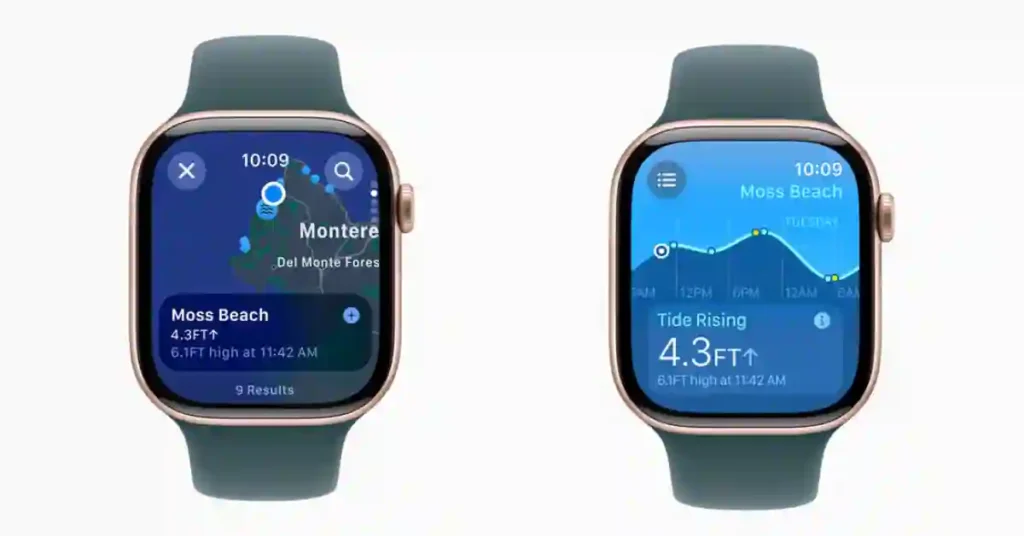
With the Series 11 now Apple’s flagship, the Series 10 is available at significantly reduced prices from third-party retailers — making it the smart value pick for iPhone users who want Apple’s fall detection system without paying full price.
The fall detection system is identical to the Series 11 — same sensors, same automatic 911 calling, same GPS location sharing to emergency contacts. The only meaningful differences from Series 11 are an 18-hour versus 24-hour battery and slightly less scratch-resistant glass. For the specific use case of senior fall detection, neither difference is critical.
Pros:
- Same core fall and crash detection as Series 11
- Full health suite — ECG, blood oxygen, heart rate alerts, crash detection
- Lower price than Series 11 at current clearance pricing
- Thinner, lighter, and brighter than Series 9
Cons:
- 18-hour battery vs Series 11’s 24 hours
- iPhone only
- Apple no longer sells it new — availability from third-party retailers only
Best for: iPhone users who want Apple’s fall detection at a lower price than Series 11, and don’t need the extra 6 hours of battery.
![Apple Watch Series 10 [GPS + Cellular, 46mm] - Jet Black Aluminum...](https://m.media-amazon.com/images/I/41MfXi9ERtL._AC_.jpg "The 90-Second Truth About Smartwatch Fall Detection (2026) 13")
7. Samsung Galaxy Watch 8
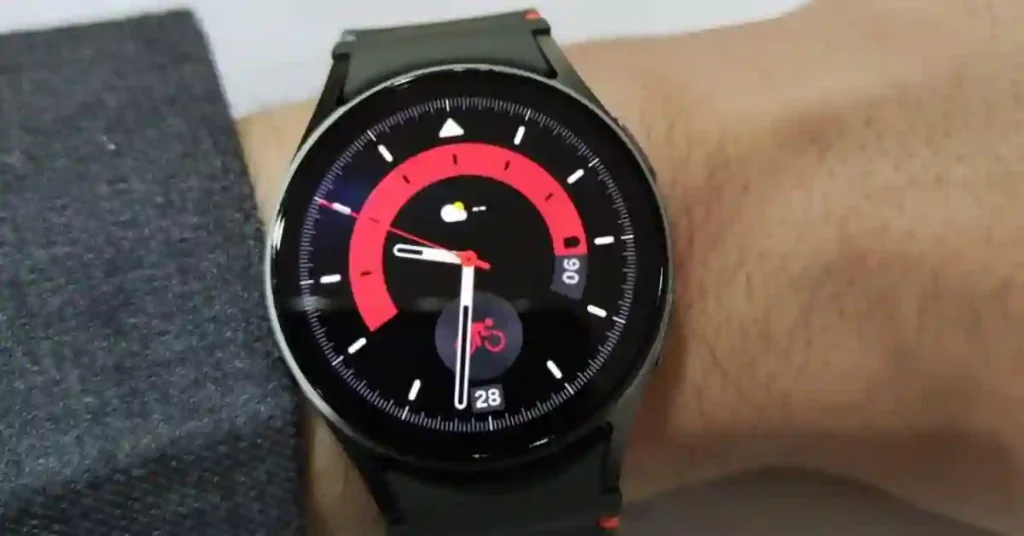
Price: ~$349–$380 | Fall detection: Automatic, 24/7 | Battery: 1–2 days | Phone required: Android
The Samsung Galaxy Watch 8 launched July 2025 and is the current flagship for Android users who want fall detection. The new squircle design is slimmer and more comfortable than the Watch 7. Internally, the Exynos W1000 chip delivers noticeably faster performance, and the display is brighter than its predecessor.
Fall detection on the Watch 8 sends an SOS alert with GPS location to emergency contacts automatically — and you can adjust the sensitivity, which matters for seniors who are less mobile and need the threshold set lower for better detection during lighter falls.
One important setup note: fall detection is NOT on by default. You must enable it in the Galaxy Wearable app under Safety and Emergency. This is the most common mistake buyers make — they assume it’s active when it isn’t.
The Watch 8 Classic model brings back the rotating bezel that skipped a generation on the Watch 7. For seniors with limited dexterity or arthritic fingers, navigating menus by rotating a physical bezel rather than swiping a touchscreen is a genuine quality-of-life improvement.
New health features include blood pressure monitoring, Energy Score with Galaxy AI, improved sleep coaching, and ECG standard across all models. Battery is 1–2 days depending on use.
✅ Pros:
- Automatic fall detection with adjustable sensitivity — set to High for less mobile seniors
- Rotating bezel on Classic model — easier for seniors than touch-only navigation
- Blood pressure monitoring, ECG, comprehensive health tracking
- Slimmer and more comfortable than Watch 7
- No monthly subscription required
❌ Cons:
- Fall detection is OFF by default — must be manually enabled in settings
- 1–2 day battery — requires frequent charging
- Best features tied to Samsung Galaxy phones
Best for: Android users who want current flagship fall detection technology with the option of the rotating bezel Classic model.

Samsung’s fall detection has improved significantly with each generation. If you’re deciding between buying the current Galaxy Watch 8 now or waiting, Samsung Unpacked is scheduled for July 2026.
8. Samsung Galaxy Watch 6 — Best Budget Android Fall Detection Watch
Price: ~$150–$180 | Fall detection: Yes (requires enabling) | Battery: 1–2 days | Phone required: Android

With the Watch 9 and Ultra 2 now the current flagships, the Galaxy Watch 6 has dropped further in price — making it the most affordable way to get Samsung’s fall detection on an Android device.
The fall detection works the same way as the newer models — hard fall detected, SOS with GPS location sent to emergency contacts. The same caveat applies: it must be manually enabled in the Galaxy Wearable app, it’s not on by default. Sensitivity adjustment is also available.
The Classic model’s rotating mechanical bezel remains one of the best interface choices for seniors in the entire smartwatch category. Health features include ECG, SpO2, heart rate, blood pressure monitoring in supported countries, and sleep tracking.
Pros:
- Most affordable Samsung fall detection watch — strong value
- Rotating bezel on Classic model — excellent for seniors
- ECG, SpO2, blood pressure monitoring included
- MIL-STD-810H certified — durable build
- No monthly subscription required
Cons:
- Fall detection NOT on by default — must be enabled manually
- Three generations behind the current Watch 9/Ultra 2 — won’t receive updates as long
- 1–2 day battery
- Best features tied to Samsung phones
Best for: Budget-conscious buyers who want reliable Android fall detection without paying current flagship prices.

9. Garmin Venu 4 (41mm) — Best for Active Seniors Who Need Long Battery
Price: ~$549 | Fall detection: During GPS activities only | Battery: Up to 12 days | Phone required: iPhone or Android
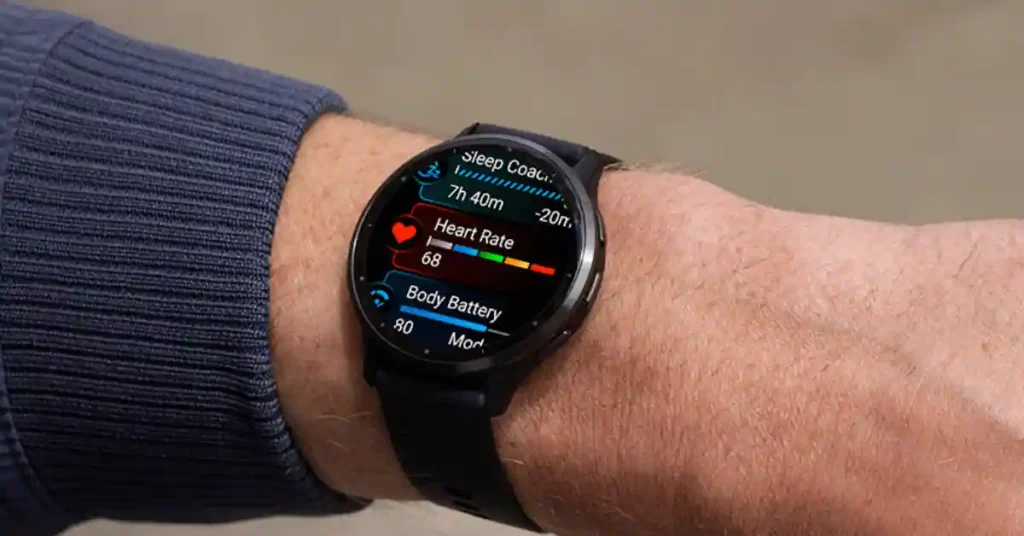
Before recommending the Venu 4, I need to be direct about what its fall detection does and doesn’t do — because this is the most misunderstood watch in this category.
Garmin calls it “Incident Detection” and it is only active during GPS-tracked activities — walking, running, hiking, cycling. It does not monitor for falls while you’re at home, cooking breakfast, or getting up from the sofa. If the concern is an everyday home fall, the Venu 4 is not designed to help with that.
With that clearly understood: for active seniors who go on regular walks or hikes and want safety coverage during those activities, the Venu 4 is excellent — and its 12-day battery is the key advantage. A watch that never needs charging is more reliably protective than a more capable watch that’s frequently dead.
Pros:
- Up to 12-day battery — most reliable charging schedule for seniors
- Large, bright AMOLED display — easy to read
- Works with both iPhone and Android
- Multi-band GPS for more accurate location sharing
- Built-in speaker and mic for wrist calls
- LED flashlight — useful for early morning or evening walks
Cons:
- Incident detection during GPS activities ONLY — not for home falls
- Does not call 911 — alerts sent to contacts via phone
- Phone must be connected and have signal for alerts to send
- Starting at $549 — more expensive than Series 10 or Galaxy Watch 6
Best for: Seniors who enjoy walking, hiking, or spending time outdoors and want a smartwatch with dependable GPS tracking, fall detection, and battery life that lasts for days instead of needing a daily charge. For a closer look at how it performs, read our full Garmin Venu 4 review.

However, the Garmin Fenix 9 is expected in 2026 with improved incident detection and crash detection for cyclists — worth knowing before buying the current generation.
10. Apple Watch SE (3rd Gen)
Price: ~$249 | Subscription: None required
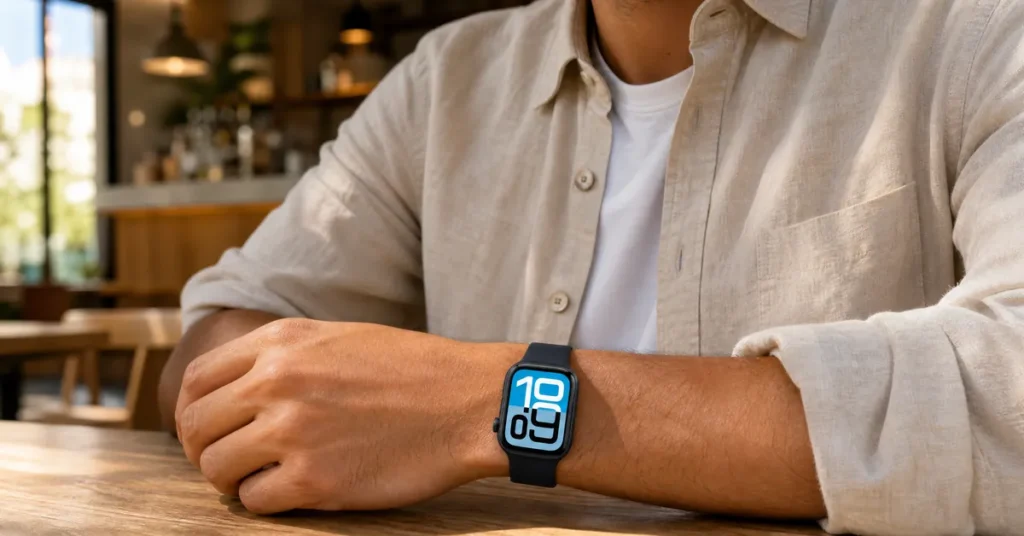
Apple Watch fall detection is included with the hardware at no additional subscription cost. When the watch detects a hard fall and you don’t respond within 60 seconds, it automatically calls emergency services and sends your location to emergency contacts.
Pros:
- 24/7 fall detection — works at home, not just during exercise
- Automatically calls 911 if you don’t respond
- No monthly fee for any safety features
- Works with existing iPhone — no new plan needed
- Available in cellular model if independent calling is needed
Limitation: Requires iPhone. Android users cannot use Apple Watch.
Best for: iPhone users who want the most reliable automatic fall-to-911 path with zero ongoing cost.
Best for: iPhone users who want automatic fall detection that can contact emergency services without paying for a subscription.
If you’re thinking about waiting for the next budget Apple Watch, don’t—Apple isn’t expected to release the Apple Watch SE 4 in 2026, so the current Apple Watch SE 3 remains the best affordable option for most iPhone users.
![Apple Watch SE 3 [GPS 40mm] Smartwatch with Starlight Aluminum Ca...](https://m.media-amazon.com/images/I/31YiTby0pOL._AC_.jpg "The 90-Second Truth About Smartwatch Fall Detection (2026) 21")
11. MGMove & Bay Alarm Medical SOS — Best for 24/7 Professional Monitoring, No Phone Required
Price: ~$99–$134 device | Monthly fee: ~$30–$50/month required | Fall detection: Automatic + professional monitoring | Phone required: No — genuinely none
This is a completely different category from the watches above — and for some seniors, it’s the right answer. If “works without a smartphone at all” is your top priority, this — not a cellular smartwatch — is the most reliable answer on this list.
The MGMove and Bay Alarm Medical SOS Smartwatch are not fitness smartwatches with fall detection added on. They are purpose-built medical alert devices and senior personal fall alarms. When a fall is detected, you’re not texting a family member — you’re connected to a live professional monitoring center whose entire job is to respond to emergencies.
Built-in cellular means they work as emergency GPS trackers for elderly falls even without WiFi or a paired phone — making them the most reliable fall alert wearable for seniors who live alone or don’t carry a smartphone.
Pros:
- 24/7 professional monitoring — live operators respond to every alert
- Built-in cellular — works completely without a smartphone, no exceptions
- Simplest interface on this list — designed specifically for seniors
- Automatic fall detection with GPS location
- Operator speaks directly to wearer through the watch
Cons:
- Monthly subscription required — ~$30–$50/month ongoing cost
- No fitness tracking, smartwatch features, or health analytics
- Fewer lifestyle features than any other option here
Best for: Seniors who live alone, have significant fall risk, or whose families want professional emergency response rather than just a family notification. Also the best option for seniors who aren’t comfortable with smartphone-paired devices.
Buying Guide: What to Know Before You Choose
The False Alarm Problem Nobody Warns You About
A 70-year-old Apple Watch Ultra user stumbled slightly on a pool deck mat, caught herself, and by the time she sat down in the sauna the watch had already started a countdown to send an emergency alert — buttons she couldn’t read without her glasses. This is the real-world false alarm experience that affects active users.
A 2022 study found Apple Watch detected only 4.7% of falls in controlled conditions — a 95.3% false negative rate. Apple has improved its algorithm significantly since Series 4, but the honest answer is that no study has yet confirmed what the current false negative rate is on Series 10 or 11.
The Critical Thing About Garmin — Most Buyers Miss This
Garmin’s fall detection only works during GPS-tracked outdoor activities — walking, running, or cycling. It does not monitor passively throughout the day. This means Garmin will not detect a fall at home, in the kitchen, or getting out of bed at night — which is where the majority of senior falls actually happen.
Garmin also does not call 911 directly — it sends an automated text and email with GPS location to your emergency contacts, only if your paired phone is connected and in range.
At a Glance: Which Watch Does What
| Watch | 24/7 Fall Detection | Calls 911 Directly | Works Without Phone |
|---|---|---|---|
| Apple Watch Series 11 | ✅ Yes | ✅ Yes (after ~90 sec) | ✅ With cellular model |
| Samsung Galaxy Watch 9 / Ultra 2 | ✅ Yes | ❌ SOS to contacts, not 911 | ✅ With LTE model |
| Google Pixel Watch 4 | ✅ Yes | ✅ Yes | ✅ With cellular |
| Garmin (any model) | ❌ GPS activities only | ❌ Text/email only | ❌ Phone required |
| MGMove Medical Alert | ✅ Yes | ✅ Monitoring center | ✅ Yes — standalone |
| Google Pixel Watch 5 | Yes | Yes (~60 sec) | With cellular/LTE |
Quick Decision Points
- Fall detection type: Apple and Samsung detect falls around the clock, anywhere in the house. Garmin only during a GPS activity.
- Direct 911 calling: Apple and Google call emergency services automatically. Samsung sends an SOS to your contacts, not a direct 911 call. Garmin alerts contacts only.
- Subscription: Only dedicated medical alert devices (MGMove, Bay Alarm) charge monthly — $30-50 for live professional monitoring.
- Battery: Garmin Venu 4 (12 days) and Pixel Watch 4 (60 hours) need charging far less often than Apple or Samsung.
- No phone dependency at all: Only MGMove and Bay Alarm work with zero smartphone requirement.
Does Fall Detection Work Without a Subscription?
Yes — for most watches on this list, fall detection has no monthly fee at all.
Apple Watch, Samsung Galaxy Watch (Watch 9, Ultra 2, and Watch 6), Google Pixel Watch, Garmin, and TicWatch all include fall detection as a built-in feature. You buy the watch once and it works indefinitely with no ongoing cost.
The only exception is dedicated medical alert devices like MGMove and Bay Alarm. Their monthly fee — typically $30–$50 — pays for 24/7 professional monitoring by real emergency operators.
One more option worth knowing about: Garmin’s Cirqa smart band — a screenless recovery and health tracker with continuous heart rate tracking — officially launched July 21, 2026 at $199.99.
It doesn’t have dedicated fall detection the way the watches above do, but for someone who wants Garmin ecosystem integration in a lighter, screenless format, it’s relevant to this conversation. Our complete Garmin Cirqa guide covers confirmed specs and how it compares to Whoop.
Smartwatch Fall Detection vs Dedicated Medical Alert Devices
This is the most important distinction in this category — and most articles don’t explain it clearly.
Smartwatches with fall detection (Apple, Samsung, Google, Garmin) are general-purpose wearables where fall detection is one feature among many. Apple’s and Google’s systems can call 911 directly.
Samsung sends SOS to contacts on all its current models, including the Watch 9 and Ultra 2. Garmin requires a GPS activity to be active.
Dedicated medical alert devices (MGMove, Bay Alarm, similar) are built entirely around emergency response — simpler interface, professional monitoring center connection, built-in cellular, designed for one purpose.
| Smartwatch | Medical alert device | |
|---|---|---|
| 24/7 fall detection | Apple, Samsung, Google, Garmin | Yes |
| Calls 911 automatically | Apple, Google | Via monitoring center |
| Monthly fee | No | Yes ($30–$50/month) |
| Works without phone | Cellular models only | Yes — always |
| Fitness tracking | Full suite | Basic or none |
| Interface complexity | Moderate | Very simple |
| Battery | 18hrs – 12 days | ~24 hours |
Neither is universally better. It comes down to the individual — how tech-comfortable they are, whether they live alone, and whether professional monitoring matters to the family.
How to Set Up Fall Detection on Your Watch
Apple Watch Series 11 (and Series 10)
Fall detection is off by default for users under 55:
- Open the Watch app on your iPhone
- Tap My Watch → Emergency SOS → Fall Detection
- Toggle Fall Detection ON
- Choose: Always On or Only During Workouts
- Add emergency contacts: Health app → Medical ID → Edit → Add Emergency Contact
Pro tip: Turn on Wrist Detection — the watch uses it to confirm you’re wearing it before triggering fall response.
Samsung Galaxy Watch 9, Ultra 2 (and Watch 6)
Fall detection is OFF by default — this is the most common setup mistake:
- Open Galaxy Wearable app on your phone
- Go to Safety and Emergency → Hard Fall Detection
- Toggle Fall Detection ON
- Set sensitivity — choose High for less mobile seniors
- Add emergency contacts for automatic SOS
Google Pixel Watch 4
- On the watch: swipe down → Settings → Safety & Emergency → Fall Detection
- Turn it ON
- Open Personal Safety app on your phone → confirm emergency contacts
- Ensure location access is allowed
Garmin Venu 4 and Instinct 3
Remember: only activates during GPS activities — not while at home.
- Open Garmin Connect app
- Tap Safety & Tracking → Incident Detection & Assistance
- Add emergency contacts
- Toggle Incident Detection ON
- Start a GPS activity — monitoring activates automatically
MGMove & Bay Alarm
- Power on and follow the company’s setup guide
- Register your account and add emergency contacts via their portal
- Test the fall alert system with their support team before relying on it
Want to know how accurate fall detection actually is before buying? We broke down the real research data: How Accurate Is Fall Detection on Smartwatches?
Medical Alert Watches vs Smartwatches — Which Is Better for Fall Detection?
This is the most common question buyers face — and the honest answer depends on what kind of response you need after a fall.
A smartwatch with fall detection — like Apple Watch, Samsung Galaxy Watch, or Google Pixel Watch — detects a fall and automatically contacts your emergency contacts or calls 911. There is no monthly fee. The watch handles everything.
This works well for active seniors or adults who want safety as one feature among many — alongside step tracking, heart rate monitoring, sleep data, and notifications. The tradeoff: these watches depend on your phone being nearby or cellular service being active, and they are not monitored by a professional response center.
A dedicated medical alert watch — like MGMove or Bay Alarm SOS Watch — connects to a 24/7 professional monitoring center. When a fall is detected, a trained operator reviews the alert and dispatches help directly.
For most active seniors and adults, a mainstream smartwatch covers the need without any ongoing cost. If the person is at high fall risk, lives completely alone, or has cognitive decline that makes interacting with a device difficult — a dedicated medical alert system may be worth the subscription cost for the professional monitoring layer it adds.
Frequently Asked Questions
Is there a watch that detects falls that doesn’t require a subscription?
Yes — most smartwatches with fall detection don’t require a subscription. Devices like the Apple Watch Series 11, Samsung Galaxy Watch 9 and Galaxy Watch Ultra 2, Google Pixel Watch 4, and Garmin Venu 4 include fall detection and can alert emergency contacts or services without a monthly fee. Subscription costs are generally limited to dedicated medical alert devices, such as MGMove and Bay Alarm.
What is the best elderly fall monitoring device in 2026?
If you want a smartwatch with reliable fall detection, the Apple Watch Series 11 is the best choice for iPhone users, while Android users should look at the Samsung Galaxy Watch 9 or Galaxy Watch Ultra 2. If you’d rather have a dedicated device with a 24/7 emergency response team, MGMove and Bay Alarm are better options. Both include built-in cellular, so they can call for help even without a phone nearby.
Which smartwatch has the most reliable fall detection in 2026?
Apple Watch Series 11 and Google Pixel Watch 4 have the most sophisticated automatic fall detection — both use machine learning, monitor 24/7, and can call emergency services directly. Samsung’s Galaxy Watch 9 and Ultra 2 are a strong option for Android users, though both send an SOS to contacts rather than calling 911 directly. Garmin’s incident detection is reliable but only activates during GPS activities, which is a major limitation for home fall risk.
Is there a fall detection watch that works completely without a smartphone?
Yes — MGMove and Bay Alarm medical alert devices have built-in cellular and require no phone at all, ever. Apple Watch and Samsung Galaxy Watch with LTE/cellular models can send alerts independently, but still need a phone for initial setup and full features. If “no phone, period” is your requirement, a dedicated medical alert device is the more reliable answer.
What is the best fall monitor for seniors who live alone?
For seniors living alone who are comfortable with a smartphone: Apple Watch Series 11 (iPhone) or Samsung Galaxy Watch 9/Ultra 2 or Google Pixel Watch 4 (Android) — Apple and Google call 911 automatically without any interaction; Samsung sends SOS to emergency contacts. For seniors who want professional monitoring and a simpler device: MGMove or Bay Alarm with a monitoring plan is the safer choice.
Do these watches work as emergency GPS trackers for elderly falls?
Yes — Apple Watch, Google Pixel Watch, Samsung Galaxy Watch, and dedicated medical alert devices all send GPS location automatically when a fall is detected.
Which elderly fall monitoring device works without a phone nearby?
MGMove and Bay Alarm have built-in cellular and require no phone at all — the only devices on this list with zero phone dependency. Apple Watch and Samsung Galaxy Watch with LTE/cellular work independently for sending alerts, but still need a phone for setup. Garmin and non-cellular smartwatch models require a connected phone to send fall alerts.
Can a smartwatch replace a traditional life alert system?
It depends on your needs. A smartwatch can be a great alternative to a traditional life alert system if the wearer is active, carries a smartphone (or has an LTE model), and only needs fall detection and emergency calling. However, a dedicated life alert device is still the better choice for seniors with serious health concerns or anyone who wants 24/7 professional monitoring. These devices are designed to work around the clock and connect directly to a live response center, even if the wearer can’t speak.
Bottom Line: Which Fall Detection Watch Is Right for Your Situation?
- iPhone user, wants the best: Apple Watch Series 11 — 24-hour battery, calls 911 automatically, hypertension notifications added in 2025.
- iPhone user, wants to save money: Apple Watch Series 10 at clearance prices — same fall detection system, slightly less battery.
- Android user, current flagship: Samsung Galaxy Watch 9 — new Snapdragon Wear Elite chip, thinner design, confirmed 2026 health features.
- Android user, wants the newest safety features: Google Pixel Watch 5 — Breathing Emergency Detection and Satellite SOS on LTE models, same reliable fall and crash detection as the Watch 4.
- Android user, wants the most durable/longest battery: Samsung Galaxy Watch Ultra 2 — larger battery, dive-rated durability, brightest display.
- Android user, forgets to charge: Google Pixel Watch 4 — 60-hour battery is the most reliable option for seniors who don’t charge daily.
- Active senior who hikes or walks outdoors: Garmin Venu 4 — 12-day battery, multi-band GPS — but remember, only detects falls during GPS activities.
- Maximum outdoor battery, no charging worries: Garmin Instinct 3 Solar — 30+ day battery, GPS incident detection.
- Needs zero phone dependency, period: MGMove or Bay Alarm — the only devices here that work with no smartphone at all.
- Senior living alone, wants professional backup: MGMove or Bay Alarm with monitoring plan — real operators respond, not just automated alerts.
- Budget under $200: Samsung Galaxy Watch 6 on sale — both include fall detection with no monthly fees.
- Never wants a subscription: Any Apple, Samsung, Google, or Garmin option — all include fall detection with zero ongoing cost.
Whatever you choose, do three things before relying on it: enable fall detection in settings (Samsung has it off by default on every current model), add emergency contacts, and do a test run so you know the alert actually reaches the right people. A properly set up watch is the one that actually helps when it matters.
Related articles
- 15 Best Rugged Smartwatches in 2026 — Tested & Ranked
- 7 Best Budget Garmin Watches in 2026
- Garmin Fenix 8 vs Epix Pro Gen 2: Full Comparison
- Garmin Epix Gen 2 vs Forerunner 965


2 Comments
Welp that list pretty much sucks. If you have a senior who can’t have a phone or has something like a raz memory phone. Almost all of those options are unusable.
Garmin kicks itself out of the market by restricting when fall detection works. So you’re left with one service with an expense of monthly, which doesn’t quite suit because all really want the messages back to the family….
This market is terrible and desperately needs disruption. The real problem is the major manufacturers telling their watches to requiring their phone. That is completely BS.
Thanks for the feedback. You’re right that this is a weak spot in the market. Most mainstream smartwatches still require a compatible smartphone, which isn’t ideal for many seniors. We’ll expand the article to cover better standalone options and alternatives for people using basic phones. Thanks for helping us improve the guide.