
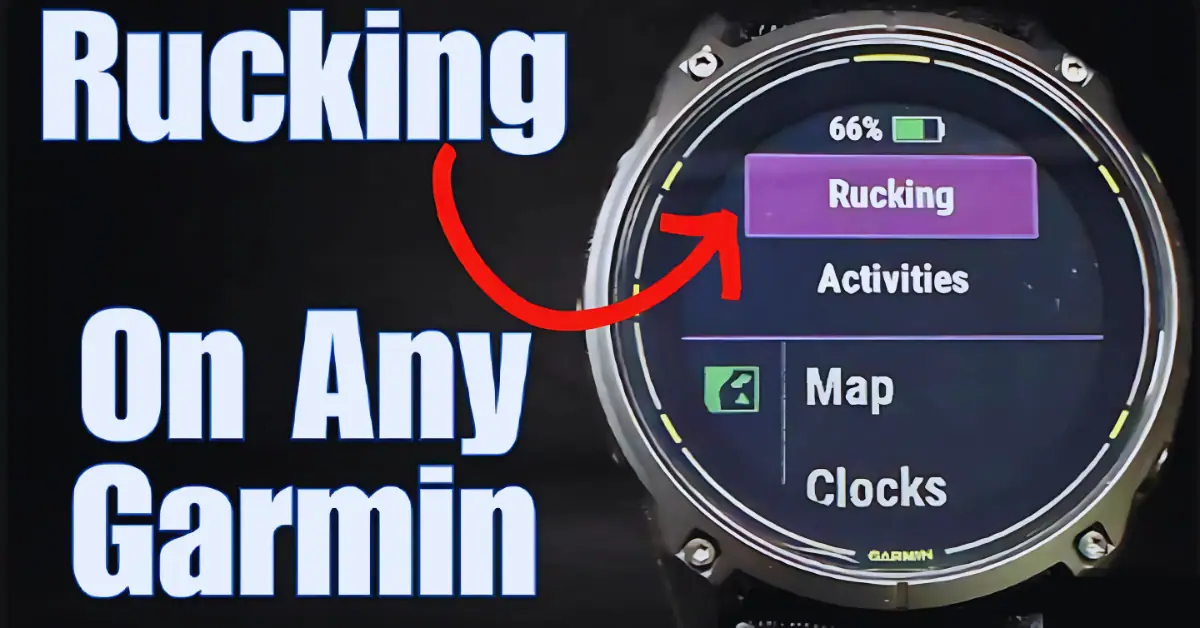
Quick check first: Garmin has rolled native Rucking support into its tactix, Instinct, Enduro, and Fenix lines, and the Vivoactive 6 picked it up via a recent beta. If you own one of those on current firmware, open Activities on your watch, scroll to Rucking, and it’s already there with pack-weight input built in. You don’t need this guide.
This is for everyone else: Forerunner owners, Fenix 7 series owners (more on that below), and any Garmin watch that hasn’t received and likely won’t receive the update.
The good news is you can replicate most of the tracking with a free Garmin Connect workaround, or get genuinely better load-aware data through a couple of Connect IQ apps built specifically for this gap.
Why “Walking,” Not “Hiking”
The trick is choosing the right base activity to clone. Garmin counts Walking activities toward step challenges and daily step goals; Hiking doesn’t contribute the same way.
So instead of duplicating Hiking and renaming it, you copy Walking. You end up with a custom “Rucking” activity that still feeds your daily step total, which matters if you’re tracking steps as part of a broader fitness goal.
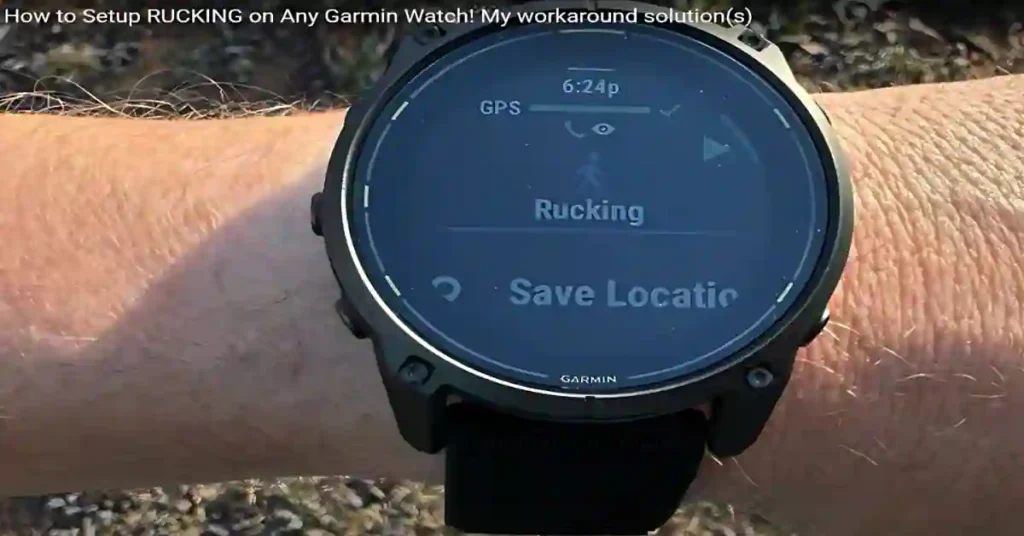
How to Enable Rucking on Any Garmin Watch Setting It Up
- Open the Garmin Connect app on your phone.
- Tap your watch, then go to Activities.
- Select Walking, and use the copy/duplicate option to create a new activity based on it.
- Rename the copy “Rucking.”
- Back on your watch, tap the + icon in the activity list, find “Rucking,” and add it to your favorites so it’s one tap away.
Set Your Pack Weight Correctly
This is the part most guides skip, and it’s the one that actually affects your data.
Garmin’s own rucking implementation lets you enter pack weight directly and factors it into calorie and effort calculations.
Since your custom Walking-based activity doesn’t have a dedicated weight field, the practical workaround is to add your pack weight to your body weight in your Garmin Connect profile before you start the activity, then reset it back afterward. Set a phone reminder to reset it, because any later workout will use the wrong weight until you do.
One thing worth knowing: Garmin’s own support documentation on the rucking activity profile states that any added load of 2kg (about 4.4 lbs) or more disables VO2 max recording for that session.
That’s intentional carrying weight changes your heart rate response enough that Garmin doesn’t want it skewing your fitness trend.
Don’t be surprised if a hard ruck doesn’t move your VO2 max number; that’s by design, and Training Status will still account for the load when calculating your recovery time.
Better Than the Manual Method: Two Connect IQ Apps Built for This
If you want load-specific calorie math without editing your body weight before and after every walk, two community-built apps fill the gap more precisely than the renamed-Walking trick:
RuckTrack logs your session as a Hiking activity in Garmin Connect, but underneath it runs the Pandolf equation the U.S. Army Research Institute’s load-carriage model using your pack weight, speed, terrain grade, and surface type (Road, Gravel, Trail, or Sand).
The extra data (pack weight, ruck calories, pack bonus kcal, terrain factor) shows up under the Connect IQ tab on the activity detail page, so the load context isn’t lost even though the activity type itself reads as “Hiking.”
One developer specifically built it for an older Forerunner because the existing options on the Connect IQ store weren’t terrain-aware.
Rucking for Everyone is a simpler free option that works across a wide range of Garmin models and handles pack weight input directly in its own on-device settings, without needing the body-weight workaround at all.
Neither will make your activity history literally say “Rucking” only Garmin’s native firmware rollout does that but both give you more accurate calorie and effort numbers than the renamed-Walking method, especially on hilly or mixed-terrain routes.
Pin It to the Top of Your Activity List
To avoid digging through menus before every session:
- On your watch, open the activity list and tap Edit.
- Find “Rucking” and tap the + next to it to move it up.
- Pinning it keeps it at the top, so it’s the first thing you see when you start an activity.
Which Garmin Watches Actually Have Native Rucking?
| Watch | Native Rucking? | Notes |
|---|---|---|
| Enduro 4 | Yes | Rucking workouts, and you can change pack weight during the activity (launched October 2026) |
| Fenix 9 / 9 Pro | Yes | Rucking enhancements: custom workouts around a target metric, with pack weight input (launched August 2026) |
| tactix 8 | Yes | First watch to get it |
| Fenix 8 / 8 Pro / Solar / E | Yes | Rolled out via 2025 firmware |
| Enduro 3 | Yes | Same firmware wave as fenix 8 |
| Instinct 3 | Yes | |
| Vivoactive 6 | Yes | Added via beta, somewhat unexpected for a non-rugged line |
| Forerunner 970 / 570 | Yes | Confirmed in Garmin’s May 2025 update alongside Pack Weight for other activities |
| Forerunner 965 / 265 | No | Workaround or Connect IQ app needed |
| Fenix 7 / 7 Pro series | No, and unlikely to get it | Garmin has continued shipping bug-fix-only updates with no new activity types. See FAQ below |
| Instinct 2 / 2X | No | |
| Older Forerunners (165, 255, 55) | No |
Want to see Garmin’s newest rucking tools? The Enduro 4 adds a target metric, custom workouts and mid-activity pack weight changes, all covered in my Enduro 4 launch article.
Thinking about the Fenix line? My Fenix 9 size and tier buying guide explains which model suits you.
If your watch isn’t on the “Yes” list, everything in this guide applies to you.
Does the Manual Method Give You Worse Data?
Honestly, yes a little. Garmin’s native Rucking profile uses motion detection tuned specifically to distinguish a weighted ruck from a regular walk, which a renamed Walking activity doesn’t have.
You’ll still get accurate distance, heart rate, and duration, since those come from the watch’s standard sensors regardless of activity label.
What you lose is the calorie model that accounts specifically for load-carriage biomechanics which is exactly the gap RuckTrack and Rucking for Everyone are built to close.
For most people using this purely to log step credit and track heart rate effort, the renamed-Walking method is fine. If you’re training seriously for something like a GORUCK event and want load-specific calorie precision on hilly terrain, install one of the Connect IQ apps above instead.
Which Method Should You Use?
Just logging steps and heart rate effort? Use the renamed-Walking method. It takes two minutes and needs no extra app.
Training for a GORUCK event or hilly routes? Install RuckTrack for the terrain-aware calorie math.
Want the simplest setup with pack weight on the watch? Try Rucking for Everyone.
Have an Enduro 3 or 4, Fenix 8 or 9, tactix 8 or Instinct 3? Skip all of this and use the built-in Rucking activity.
FAQ
Will the fenix 7 ever get native Rucking?
It looks unlikely. Garmin’s own forum threads on this have Garmin staff and long time users saying they expect only bug fixes for the Fenix 7 series going forward, not new activity types. The most recent Fenix 7 stable updates have been fix-only releases with no new features. If you own a Fenix 7 or 7 Pro, plan on using the workaround or a Connect IQ app rather than waiting for a firmware update.
Does this affect my Training Status or Training Load?
Yes, in a good way. Even with VO2 max recording suspended during a heavy ruck, Garmin’s Training Status still factors the session’s heart rate strain into your Training Load and recovery time calculations. You won’t see your fitness trend move from that session, but your watch won’t think you’re undertrained either.
Can I use this method with trekking poles or on a treadmill?
Yes, the renamed Walking activity tracks the same way as a normal walk in either case. On a treadmill, make sure you’ve calibrated stride length in your Garmin profile for better distance accuracy, since you won’t have GPS to correct it.
Will the activity show up correctly in Garmin Connect’s activity calendar?
It will show up labeled as whatever you named it (“Rucking”) if you used the duplicate-and-rename method, since Garmin Connect respects custom activity names. If you used RuckTrack instead, it’ll log as “Hiking” with the extra load data nested under the Connect IQ tab, not in the main activity title.
Do I need a Garmin Connect+ subscription for any of this?
No. Both the duplicate-activity workaround and the Connect IQ apps mentioned here are free and don’t require Connect+.
Does the Garmin Enduro 4 have rucking?
Yes. Garmin lists rucking workouts and a rucking activity on the Enduro 4, where you can set a target metric, create a custom workout and change pack weight during the activity.
Does the Garmin Fenix 9 have rucking?
Yes. Garmin says the Fenix 9 adds rucking enhancements, including custom workouts around a target metric such as calories burned, with pack weight input.
Related Reading
- Garmin Tactix 8 Rucking Mode: How It Works — for the full native experience and what’s different on Garmin’s tactical flagship
- Best Tactical Smartwatches of 2026 — if you’re shopping for a watch that has rucking and tactical tools built in from the start
- Best Rugged Smartwatches 2026 — broader outdoor durability picks beyond just rucking
- Garmin Vivoactive 6 Review — one of the few non-tactical, non-fenix watches to pick up native Rucking support via beta
Have you tried RuckTrack or Rucking for Everyone against this manual method? I’d genuinely like to know which one’s giving you more consistent calorie numbers on hilly terrain — drop it in the comments.