
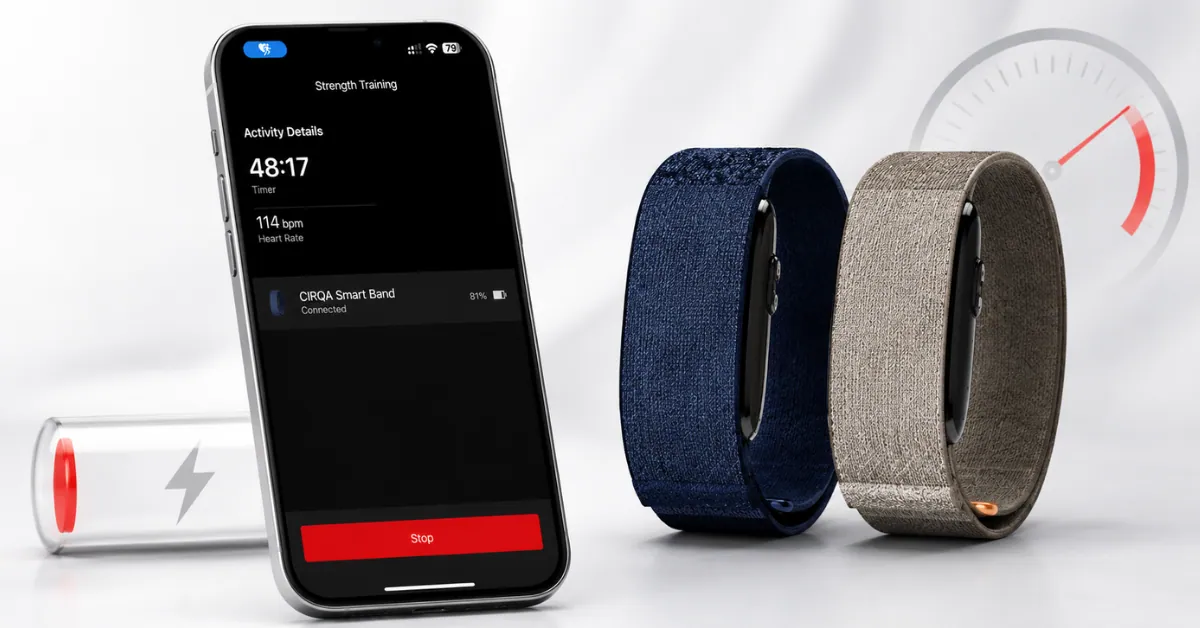
Garmin’s CIRQA — the $199 screenless health band that launched on July 24, 2026 — is rated for up to 10 days on a charge. That number is real, but it comes with fine print most people never read: it assumes Pulse Ox is switched off (which is the default setting) and that you’re not broadcasting your heart rate to another device. Turn either one on, and Garmin doesn’t publish a number for what happens next.
That’s the gap where most of the “my battery is dying way too fast” complaints live. Here’s how to close it.
Quick answer
Two settings are responsible for almost every unexpected battery drain on CIRQA:
- Broadcast Heart Rate — check this first, especially if you use CIRQA with a bike computer or gym equipment
- Pulse Ox — particularly “All Day” mode, which runs constantly instead of just overnight
If both are off and your battery is still collapsing in a day or two, skip ahead to when to contact Garmin.
Why CIRQA can hit 10 days in the first place
Before troubleshooting drain, it helps to know why Garmin can claim 10 days at all — most watches with similar sensors don’t get close.
CIRQA has no GPS, no display, and no Wi-Fi. Those three components are typically the biggest continuous power draws on a wearable, and CIRQA simply doesn’t have any of them.
It also uses Garmin’s Gen 4 optical sensor, which runs on a lower-power processor than the newer Gen 5 sensor found in Garmin’s Index Sleep Monitor — a trade-off Garmin says keeps the module thin.
So the 10-day figure isn’t marketing fluff. It’s a reasonable number for a screenless band with a stripped-down sensor set — as long as you’re using it in the specific way Garmin tested it.
1. Check Broadcast Heart Rate first
CIRQA can act as a heart-rate sensor for other devices — useful if you’re cycling and want to feed live heart rate to a Garmin Edge instead of wearing a separate chest strap.
The problem is that people forget to turn it off. Garmin’s manual is direct about this: broadcasting heart-rate data decreases battery life, and the company hasn’t published exactly how much.
Where to check it: Garmin Connect → Devices → CIRQA → Health & Wellness → Broadcast Heart Rate
There’s also a shortcut — hold the CIRQA button for three seconds to toggle broadcasting on or off, if you’ve enabled Device Control. That’s the fastest way to make sure it’s not quietly running after your workout ends.
If your battery situation changed right around when you started using CIRQA as a heart-rate sensor for cycling or gym sessions, this is almost certainly your answer.
2. Check Pulse Ox next
Pulse Ox tracks blood-oxygen levels, and it’s genuinely useful overnight if you care about that data — it feeds into CIRQA’s sleep tracking accuracy.
CIRQA offers two modes:
- During Sleep — the default when Pulse Ox is enabled at all
- All Day — keeps the optical sensor active around the clock
Here’s the part that matters for battery: the 10-day claim assumes Pulse Ox is off entirely. Garmin has not published a battery figure for either Pulse Ox mode.
If you’ve turned on All Day Pulse Ox, expect a noticeably shorter runtime — Garmin’s own hardware behavior on other devices suggests the gap could be several days, though CIRQA-specific numbers aren’t public yet.
What to do: If you’re on All Day, switch to During Sleep and compare battery loss over 24 hours. If you don’t use Pulse Ox data at all, turn it off completely.
3. Long or frequent workouts add up
CIRQA auto-detects activity, and you can also start a session manually from the band or the app. The 10-day estimate assumes roughly 30 minutes of activity a day — go well beyond that regularly, and the battery curve bends downward faster.
Stack long workouts on top of heart-rate broadcasting, and you’re running a meaningfully heavier load than someone who just wears CIRQA through a normal day.
4. Just unboxed it? Give it a full day before judging
The first few hours after setup involve pairing, syncing, and poking through settings — all of which draw more power than a settled routine will.
Garmin doesn’t mention any kind of break-in period for CIRQA, so don’t assume a new unit is supposed to drain faster for the first few days.
A better test: charge it fully, wear it exactly how you plan to use it long-term, and check the percentage after a full 24 hours.
5. Battery Saver mode — know what you’re giving up
CIRQA has a Battery Saver mode, but it’s not a mild power-saving tweak. Turning off the wrist-based heart-rate monitor also disables:
- Wrist-based Pulse Ox
- Sleep tracking
- VO2 max estimates
- Intensity minutes
- All-day stress
That’s most of the reason people buy a device like this in the first place. Battery Saver makes sense for a flight or a weekend without charger access — not as a permanent setting.
Still deciding whether CIRQA fits your routine at all? Our breakdown on whether Cirqa is worth it for non-athletes walks through who actually benefits from always-on tracking versus who’s better off with a simpler band.
6. Check your phone’s location settings too
This one’s easy to miss: several early CIRQA owners have reported that the Garmin Connect app asks for “Always” location access rather than “While Using the App.”
That doesn’t affect the band’s battery, but it can quietly drain your phone’s battery in the background. If your phone battery has taken a hit since setting up CIRQA, this is worth checking — not the band itself.
If you’re also running into connection drops or the app not updating, our CIRQA sync troubleshooting guide covers the common fixes, including a known bug where the sensor needs a manual restart after charging.
How to check CIRQA’s battery level
CIRQA has no screen, so this works differently than checking a Garmin watch:
- Garmin Connect app — shows the exact percentage
- LED status light — press-and-check option if you don’t want to open the app
If you’re troubleshooting drain, note the percentage at the start of a test and check again roughly 24 hours later. Checking every hour won’t tell you anything useful — battery drain isn’t linear minute to minute.
Charging temperature matters
CIRQA operates across a wide range (-20°C to 60°C), but charging only works between 0°C and 45°C. If you’re trying to charge it somewhere cold, bring it inside first.
It uses Garmin’s proprietary charging port on the device end — the same one used across other Garmin watches — with a standard USB-C connector on the other end of the cable. If it’s not charging, check the contacts before assuming the battery has failed.
What battery life should you realistically expect?
| Your setup | Battery expectation |
|---|---|
| Pulse Ox off, light activity | Closest to the 10-day maximum |
| Pulse Ox during sleep | Some additional drain |
| Pulse Ox all day | Noticeably shorter — Garmin hasn’t published a number |
| HR broadcasting in use | Additional drain, scales with how long it runs |
| Long or frequent workouts | Additional drain |
| Several of the above combined | Could be significantly shorter than 10 days |
None of these are official Garmin numbers beyond the base 10-day claim — they’re the main levers Garmin itself points to.
Still draining fast? Run this test {#when-to-contact-garmin}
- Charge to 100%
- Use it for one full day with Pulse Ox off, Broadcast HR off, and no unusually long workouts
- Check the percentage after 24 hours
- If that loss looks reasonable, turn features back on one at a time — Pulse Ox first, then Broadcast HR during an actual workout — and compare each time
This is slower than flipping everything at once, but it tells you which specific feature is responsible instead of guessing.
When to contact Garmin
If you’ve ruled out Broadcast HR, Pulse Ox, and unusually long activity — and the battery is still dropping fast during otherwise normal use — that’s no longer a settings issue.
Check for a pending software update first, then reach out to Garmin Support. The CIRQA manual has a troubleshooting section worth reading before assuming it’s a hardware fault.
Bottom line
Don’t start with a factory reset. Check Broadcast Heart Rate, then Pulse Ox, then take an honest look at how much activity you’re logging — in that order.
Garmin’s 10-day figure is achievable, but only under the specific conditions it was tested with: Pulse Ox off, no broadcasting, moderate activity.
Six or seven days under regular use, with a few features turned on, is genuinely normal. One or two days is where you should actually start troubleshooting — and Broadcast HR is the first place to look.
FAQ
How long does the Garmin CIRQA battery actually last?
Garmin rates it for up to 10 days, but that figure assumes Pulse Ox is off and heart-rate broadcasting isn’t in use. With either feature on, expect less — Garmin hasn’t published exact numbers for either.
Why is my CIRQA draining so fast?
Start with Broadcast Heart Rate, especially if you’ve recently connected it to an Edge or similar device. Pulse Ox and longer workout sessions are the next things to check.
Does Pulse Ox reduce CIRQA’s battery life?
Yes. The 10-day claim specifically assumes Pulse Ox is off. Garmin hasn’t published a figure for either Pulse Ox mode, but expect a meaningfully shorter runtime with it on, especially in All Day mode.
Should I turn Pulse Ox off?
If you don’t use the data, yes. If you want overnight readings but care about battery, During Sleep is the better call over All Day.
Why isn’t CIRQA hitting the full 10 days for me?
The estimate assumes light, specific usage — Pulse Ox off, no broadcasting, about 30 minutes of activity a day. Any of those factors can pull the number down.
Can CIRQA broadcast heart rate to a Garmin Edge?
Yes, and Garmin is upfront that doing so reduces battery life.
Does CIRQA use USB-C charging?
The device end uses Garmin’s proprietary charging port, the same one used on its watches. The other end of the included cable is USB-C.
What’s the charging temperature range?
0°C to 45°C. The band can operate down to -20°C, but it won’t accept a charge below 0°C.
Is one or two days of battery normal?
No — that’s well below what CIRQA should deliver even with several features active. Check Broadcast HR and Pulse Ox before contacting Garmin Support.
Is CIRQA’s app draining my phone’s battery too?
Possibly, separately from the band itself. Some owners have reported the Garmin Connect app requesting “Always” location access instead of “While Using the App,” which can drain phone battery in the background.
Related Reads:
- Is Garmin CIRQA Worth It for Non-Athletes?
- Garmin CIRQA Not Syncing With Garmin Connect — Fixes
- Garmin CIRQA vs Whoop 5
- Want a Better Garmin Sleep Score? Here’s What Works
- Garmin Cirqa vs Fitbit Air (2026): Which Screenless Tracker to Buy?
Sources: Garmin’s official CIRQA battery-life assumptions and press release, the Garmin CIRQA owner’s manual, Garmin Support, and independent CIRQA coverage from DC Rainmaker, the5krunner, and Notebookcheck.