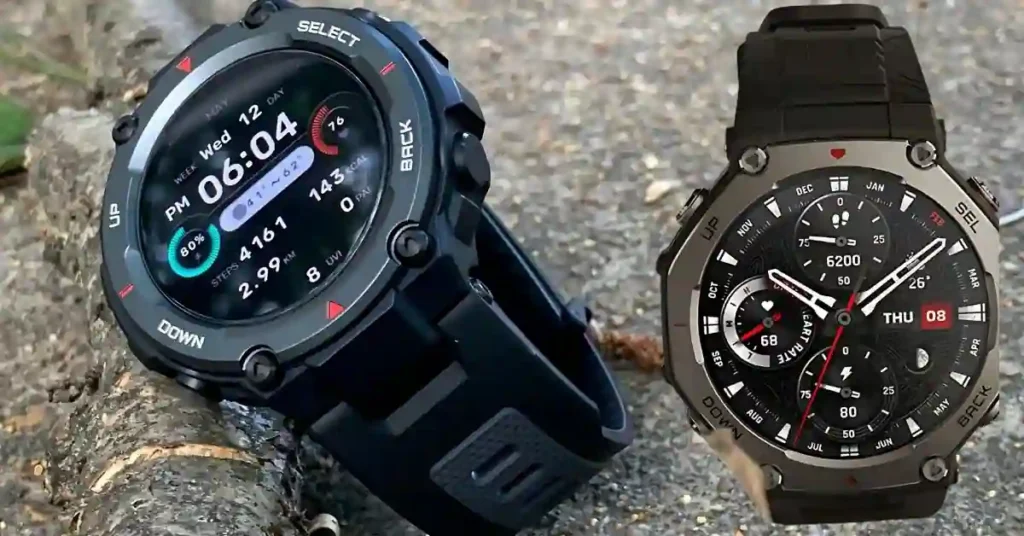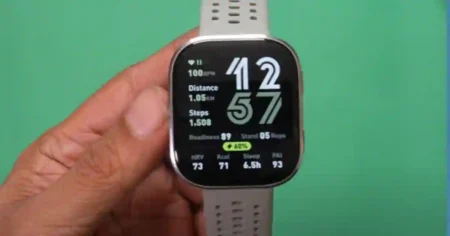

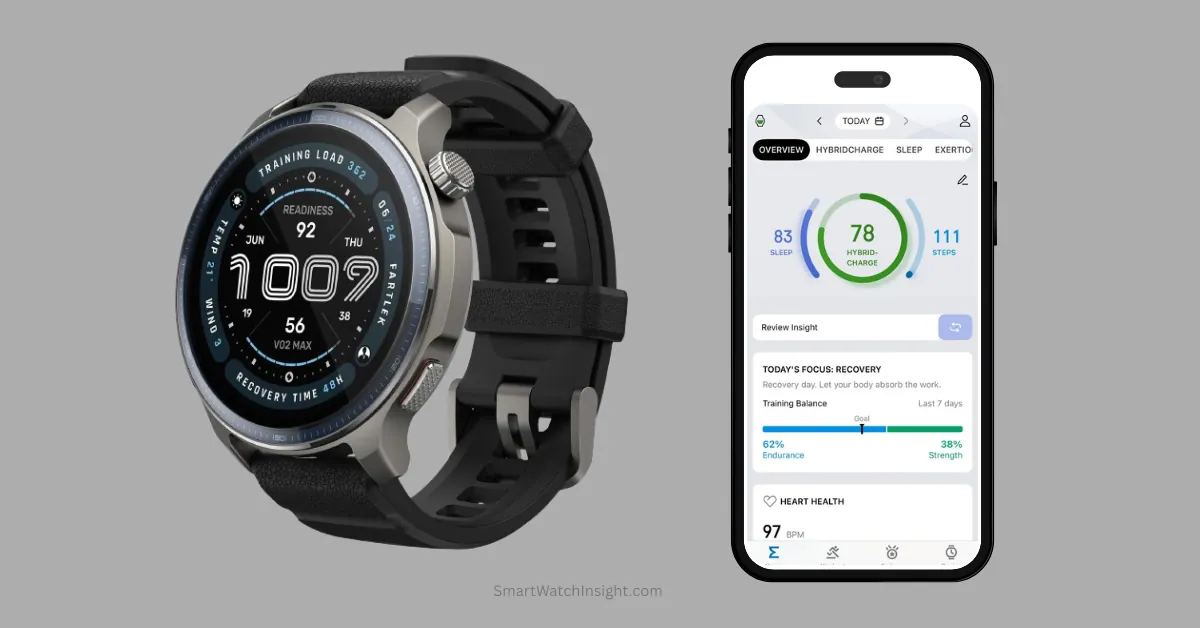
HybridCharge is Amazfit’s new energy and recovery metric introduced in Zepp App v10.4.1. It completely replaces BioCharge and the old Readiness score with a 0–100 daily energy scale that combines objective biometric sensor data (HRV, sleep, resting heart rate) with subjective lifestyle inputs logged via LifeLoad. The system maps your energy across three distinct phases: Wake, All-Day, and Evening.
Zepp App HybridCharge Explained: What Is LifeLoad & How to Use It?
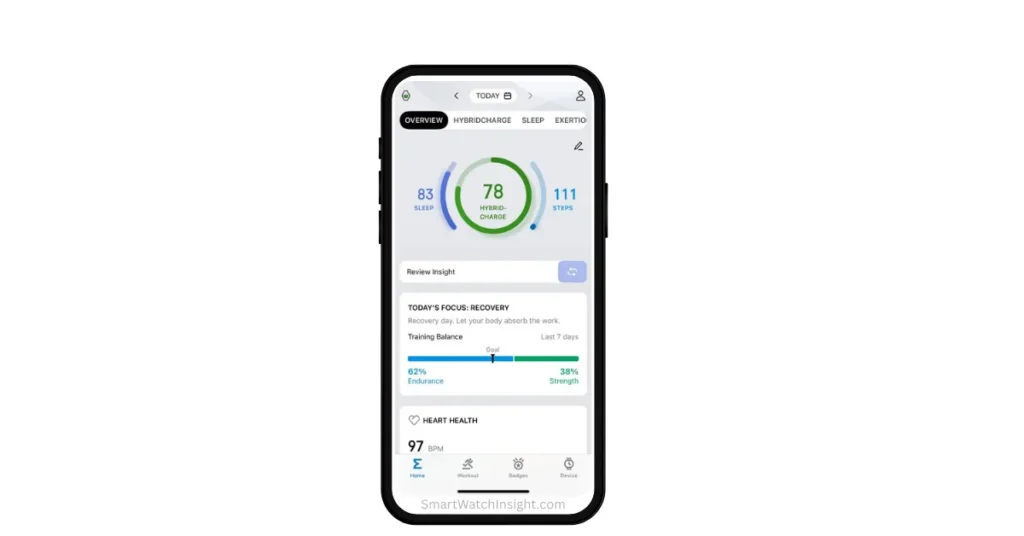
Zepp Health has officially dropped the v10.4.1 update, and if you opened your app expecting to see the familiar BioCharge or Readiness score—it’s gone. Both have been replaced by a single unified metric called HybridCharge, and this shift is far more significant than a simple cosmetic rebrand.
Most major fitness wearables—including Garmin, Whoop, and Apple Watch—build their recovery scores entirely from automated sensor data: heart rate, Heart Rate Variability (HRV), sleep stages, and respiratory rates. They track what your body is doing silently.
Amazfit is trying something fundamentally different. HybridCharge combines that objective biometric data with subjective daily inputs that you log yourself through a new feature called LifeLoad.
The pitch is simple: wrist sensors cannot tell if you are mentally burnt out from back-to-back meetings, hungover, or dealing with intense muscle soreness from yesterday’s heavy deadlifts. LifeLoad can—because you tell it directly.
This guide covers exactly how the system works, how to log LifeLoad, what to do if the dashboard is missing from your app, and how it stacks up against Garmin and Whoop.
What Is Zepp HybridCharge? The Core Science
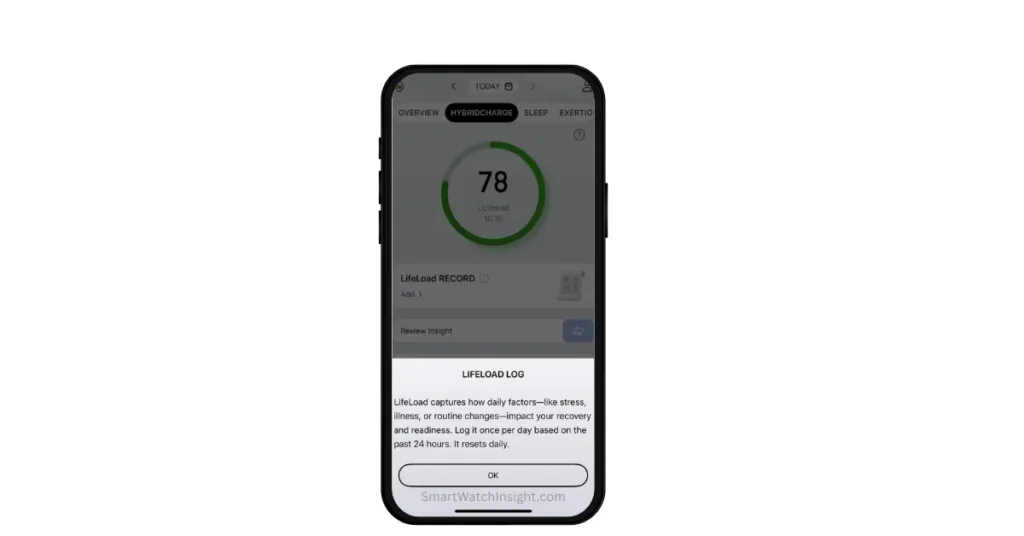
HybridCharge operates on a clear 0–100 daily energy scale. This score indicates where your body sits on the ready-to-perform spectrum at any given point in the day.
| Score Range | Status | What It Means |
| 80–100 | Good | Peak condition. Ready to train hard, focus deeply, and perform. |
| 60–79 | Fair | Moderate energy. Manageable, but not operating at your peak. |
| 0–59 | Poor | Depleted state. Your body requires real, active recovery time. |
This single number is dynamic. HybridCharge splits your 24-hour cycle into three distinct phases, generating a specialized score for each:
1. Wake Score
Your morning baseline. The app calculates this exclusively from your overnight biometrics—sleep duration, sleep staging quality, HRV trends, and resting heart rate. It is your first signal of the day: how recharged did you actually come out of last night’s sleep cycle?
A low Wake Score after a seemingly decent sleep often points to poor sleep architecture or elevated overnight heart rate—things you wouldn’t notice consciously but the watch catches in the background.
2. All-Day Score
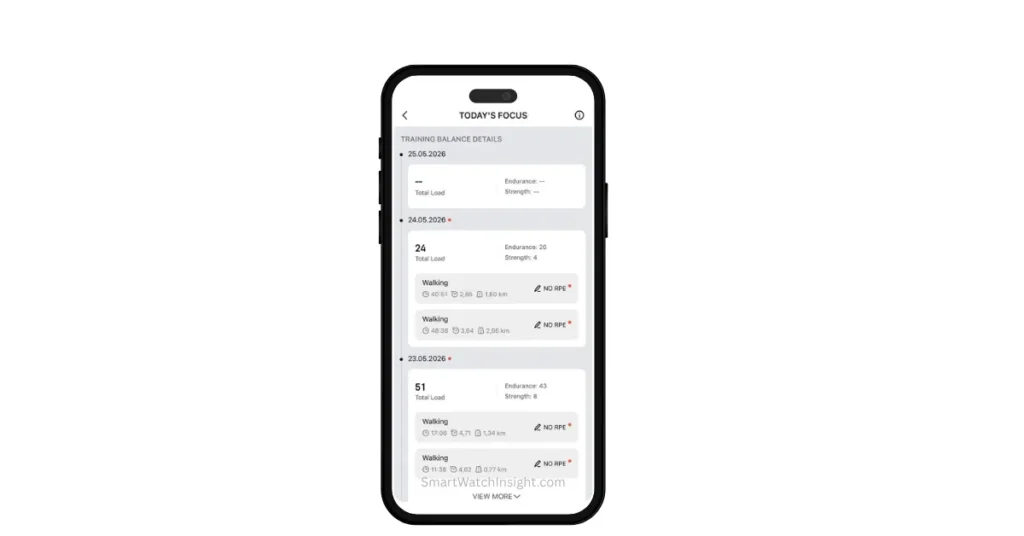
This score updates continuously in real time. It tracks how your energy shifts throughout the day, displaying both a “Charged” metric (inputs that boosted your reserve, like rest periods or low-stress windows) and a “Drained” metric (factors that pulled energy down, like intense workouts or logged stress events). If you take an intentional recovery break at midday, this score can actually bounce back—it is not a one-way downward slide.
3. Evening Score
What is left in your tank by the time you are winding down. The Evening Score helps answer a practical, training-focused question: should I hit a hard session tonight, or skip it? It also feeds directly forward into the next morning’s Wake Score, meaning your evening choices actively shape tomorrow’s starting point.
What Is LifeLoad Logging and How Does It Work?
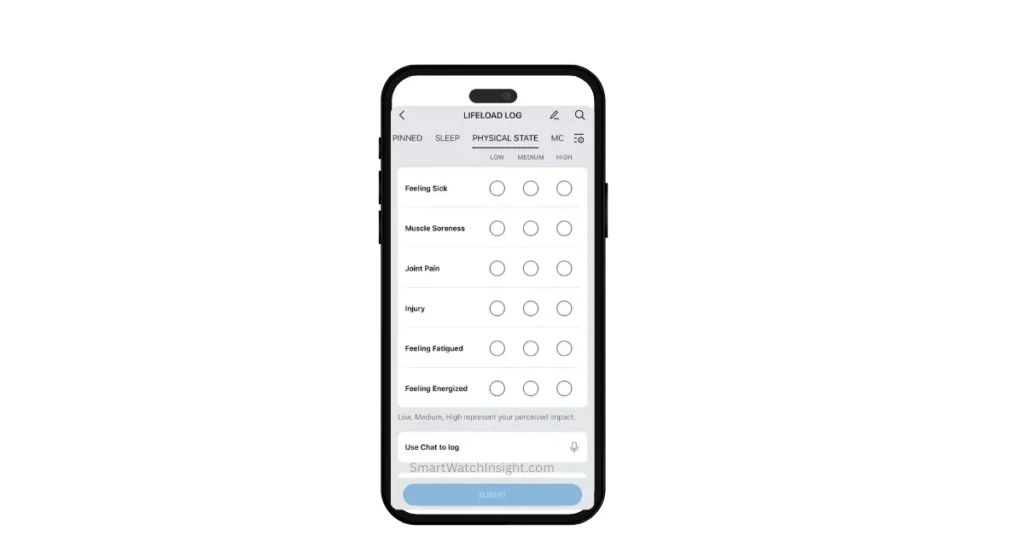
LifeLoad is the self-reporting engine that sits underneath HybridCharge. It is the exact feature that other mainstream fitness tracker platforms are missing—and it is what makes HybridCharge genuinely different from just another automated biometric score.
The core concept: your wrist sensors capture cardiovascular load well, but they miss external lifestyle factors. A brutal work week, post-flight jet lag, poor nutritional choices—none of these show up clearly in raw HRV data. LifeLoad gives you a structured way to report them, and those inputs actively shift your scores.
The 8 Core LifeLoad Categories
Each category allows you to tag your current state at Low, Medium, or High intensity:
- Physical State: Muscle soreness, joint pain, or localized physical fatigue.
- Mental Energy: Brain fog, cognitive sharpness, or deep focus demands.
- Nutrition: Caffeine intake, alcohol consumption, and hydration status.
- Mood / Emotion: General emotional tone and mental well-being.
- Sleep: Your subjective sleep quality, separate from what the sensors measured.
- Work / Life: Workload pressure, personal admin stress, or deadline intensity.
- Activity: Physical exertion or manual labor beyond what the watch auto-tracked.
- Environment: Exposure to extreme heat, cold, high altitude, or poor conditions.
The Chat-Style Input Option
Ticking multiple boxes manually every single day can quickly become tedious. To reduce that friction, Zepp added a chat-style and voice input option for LifeLoad.
Instead of navigating sub-menus, you can describe your day in plain language—something like “Slept poorly, had two coffees, and my legs are sore from leg day”—and the app automatically parses your input into the relevant category tags.
It is a meaningful quality-of-life addition. The hardest part of any manual logging system is getting people to actually use it. Lowering the barrier is the right call.
Does LifeLoad Matter If You Don’t Log It?
Yes—but it limits the feature. When LifeLoad is left empty, HybridCharge falls back to a biometrics-only score, essentially functioning like the old BioCharge system. You lose the personalized subjective layer, but the core readiness tracking continues.
The accuracy ceiling of HybridCharge is, in part, dependent on your logging discipline. Log consistently, and the system becomes increasingly personal. Stop logging, and you get a well-branded biometric score.
Step-by-Step: How to Access HybridCharge and Log LifeLoad
Once the calibration period is complete and your watch is synced, here is the full workflow:
- Step 1: Open the Zepp App and navigate to the Home tab. The HybridCharge card appears where BioCharge or Readiness previously sat on the main summary dashboard.
- Step 2: Tap the HybridCharge card to open the detailed view. This screen shows your current overall score, the Wake, All-Day, and Evening breakdown, and an intraday energy graph that visualizes your Charged versus Drained balance throughout the day.
- Step 3: Scroll down within the HybridCharge detail screen to locate the LifeLoad section, sometimes labeled “Log Your State” depending on your app version.
- Step 4: Tap your relevant state tags—for example, Physical State -> High if you’re dealing with serious muscle soreness from a hard training session—and select the appropriate intensity level for each.
- Step 5: Alternatively, use the chat or voice input to type or speak a natural description of your day. The app will parse and categorize it automatically.
- Step 6: Save your log entry. Your HybridCharge score will update within a few minutes of syncing with your watch.
💡 Routine Tip: For best results, build this into a short daily habit. Logging in the morning after your Wake Score appears, or briefly in the evening before bed, keeps the system calibrated with minimal time investment—usually under two minutes once you know the categories.
Troubleshooting: Why Is HybridCharge or LifeLoad Missing From Your App?
The HybridCharge dashboard does not always appear the moment you update to v10.4.1. If you are facing this issue, there are four primary technical reasons to check.
Reason 1: The Calibration Period (24–48 Hours)
The new algorithm does not guess. For new users or anyone who just performed a fresh app installation, HybridCharge requires at least 24 to 48 hours of continuous wear data—specifically overnight sleep and HRV readings—before the dashboard becomes visible.
You must wear your watch to bed to establish a baseline. There is no shortcut; the card will surface on its own once the system has enough to work with.
Reason 2: No Amazfit Watch Connected
HybridCharge cannot function as a standalone smartphone application. If no compatible Amazfit device is paired to your Zepp App, the biometric base layer is entirely empty, and the dashboard stays completely hidden. You will not see the card at all.
Devices confirmed to trigger the interface include the Amazfit Balance, T-Rex 3, Cheetah Pro, Cheetah (Round), Active 2, Falcon, and the Helio Ring. If you’re running the app with an older or unsupported watch, the feature will not surface.
Reason 3: App-Side vs. Watch-Side Firmware Mismatch
If you can see “HybridCharge” inside the Zepp App, but your physical Amazfit watch face still displays the old “BioCharge” text—this is completely normal and not a bug.
The smartphone app update and the on-device watch firmware update are two separate rollouts. The watch display label will correct itself when your specific device receives its firmware patch over the coming weeks.
Reason 4: Server-Side Rollout Delay
Parts of the HybridCharge feature are controlled server-side, meaning Amazfit enables them per account in batches. Even on a fully updated app with a connected watch, the card might not appear for a day or two. If 48 hours have passed without the card appearing, execute these steps in order:
- Force-close the Zepp App completely and reopen it.
- Manually trigger a data sync from the app homepage.
- Log out of your Zepp account entirely, then log back in.
- Wait another 24 hours and check again.
Supported Amazfit Devices for HybridCharge
| Device | HybridCharge Support | Notes |
| Amazfit T-Rex 3 | Yes (Confirmed) | Full support including LifeLoad ecosystem |
| Amazfit Balance | Yes (Confirmed) | Among the first to receive the pipeline rollout |
| Amazfit Cheetah Pro | Yes (Confirmed) | Fully compatible via app update |
| Amazfit Cheetah (Round) | Yes (Confirmed) | Fully compatible via app update |
| Amazfit Active 2 | Yes (Confirmed) | Integrated with native sensor metrics |
| Amazfit Falcon | Yes (Confirmed) | Supported on latest application tier |
| Amazfit Helio Ring | Yes (Confirmed) | Integrated recovery metric engine |
| Amazfit GTR 4 | Partial (Rolling Out) | Server-side push, not active on all accounts yet |
| Amazfit GTS 4 | Partial (Rolling Out) | Check for app update and profile refresh |
| Older GTR / GTS models | No | Unsupported due to baseline sensor limitations |
The list is expected to expand. Amazfit is pushing compatibility in waves, so if your device is not showing HybridCharge today, it may still be coming—particularly for GTR 4 and GTS 4 owners.
What’s New in Zepp App v10.4.1?
HybridCharge and LifeLoad are the headliners, but the full update includes several other changes worth noting:
- BioCharge and Readiness removed: Both deprecated in favor of the unified HybridCharge system.
- Intraday energy graph: A timeline inside the HybridCharge card visualizing Charged vs. Drained patterns throughout the day.
- LifeLoad chat and voice input: Alternative to manual tag selection for faster daily logging.
- Improved sleep staging accuracy: Refined light, deep, and REM stage detection that feeds more precisely into morning Wake Scores.
- Dashboard refresh: The home tab has been reorganized; health metric cards load noticeably faster.
- HYROX training tools: Amazfit added race-focused training features and analysis tools tied to its expanding partnership with HYROX, making this update particularly relevant for competitive functional fitness athletes.
HybridCharge vs. Garmin Body Battery vs. Whoop
To see how Amazfit’s new hybrid system stacks up against the industry benchmarks, here is the direct architectural comparison:
| Feature | Amazfit HybridCharge | Garmin Body Battery | Whoop Recovery |
| Data Architecture | Hybrid (Biometrics + Manual Logs) | 100% Sensor-based | 100% Sensor-based |
| Score Range | 0 to 100 | 0 to 100 | 0 to 100% |
| Muscular Fatigue Tracking | Yes (Via LifeLoad tags) | No (Misses heavy lifting strains) | No (Mainly cardiovascular focus) |
| Mental Fatigue Tracking | Yes (Via Mental Energy logs) | Partial (HRV stress only) | Partial (HRV stress only) |
| Multiple Score Phases | Yes (Wake, All-Day, Evening) | No (Single rolling score) | No (Single daily recovery %) |
| Manual Daily Input | Yes (Required for accuracy) | No (Fully automatic) | No (Fully automatic) |
| Subscription Required | No | No | Yes (Hardware + ongoing fee) |
| Hardware Entry Cost | Moderate ($150 to $350) | High ($250 to $1,000+) | Low entry, high lifetime contract |
The Key Takeaway
Garmin and Whoop handle automated, sensor-based recovery exceptionally well. Garmin’s Body Battery has years of algorithmic refinement behind it, and Whoop leads in pure cardiovascular strain depth for athletes focused on that metric.
However, neither platform can see your localized muscular damage from a heavy lifting session, or the psychological drain of a brutal work sprint, or the cumulative toll of poor nutrition. LifeLoad bridges that specific gap.
If you are a user who will actively log daily states, HybridCharge offers a more complete picture than either alternative. If you prefer a fully hands-free, set-it-and-forget-it metric, Garmin remains the benchmark. If deep cardiovascular recovery analytics are your priority and you don’t mind a subscription, Whoop still leads that lane.
Frequently Asked Questions
Is HybridCharge permanently replacing BioCharge?
Yes. As of v10.4.1, BioCharge and the old Readiness score are both gone. If you still see BioCharge in your app, the rollout hasn’t reached your account yet—it will update automatically without any action needed on your end.
Which Amazfit watches support HybridCharge?
Currently confirmed: Amazfit Balance, T-Rex 3, Cheetah Pro, Cheetah (Round), Active 2, Falcon, and Helio Ring. GTR 4 and GTS 4 users are receiving it in waves. Older models are unlikely to receive support due to sensor hardware limitations.
Why isn’t HybridCharge showing up after I updated to v10.4.1?
The most common cause is the 24–48 hour calibration period. The system needs continuous wear data—especially overnight sleep—before the dashboard appears. Wear your watch to bed, and the card will surface on its own.
Can I use HybridCharge without an Amazfit watch?
No. A paired compatible Amazfit device is required. Without one, there is no biometric base layer and the dashboard will not appear at all.
My app shows HybridCharge but my watch still says BioCharge. Is something broken?
Nothing is broken. This is a known firmware mismatch—the app updated faster than the watch firmware. The watch display label will correct itself with the next firmware patch, typically within a few weeks.
What are the 8 LifeLoad logging categories?
Physical State, Mental Energy, Nutrition, Mood/Emotion, Sleep, Work/Life, Activity, and Environment. Each is tagged at Low, Medium, or High intensity.
Is there a faster way to log LifeLoad than tapping through menus?
Yes. v10.4.1 includes a chat-style and voice input option. You can describe your day in plain language and the app parses it into the relevant category tags automatically.
What happens to my HybridCharge score if I stop logging LifeLoad?
The system falls back to a biometrics-only score, similar in function to the old BioCharge. Core readiness tracking continues, but the personalized subjective layer disappears. The more consistently you log, the more useful the system becomes.
Does HybridCharge require a subscription or extra payment?
No. HybridCharge and LifeLoad are fully included in the Zepp App at no extra cost.
How does HybridCharge compare to Garmin Body Battery on a daily basis?
Both use a 0–100 scale built on similar biometric inputs. The key architectural difference is LifeLoad—HybridCharge can factor in muscular fatigue, mental stress, and nutrition through manual logging, which Garmin cannot. Garmin’s system is more refined and fully automatic. HybridCharge has a higher potential accuracy ceiling for users who log consistently, but requires that discipline to reach it.
Is HybridCharge available to users worldwide?
Yes, with no regional lock. The rollout is gradual, so some regions may see the update arrive a few days later than others.
The Bottom Line
HybridCharge is a genuinely innovative direction for Zepp Health. By combining hardware sensor accuracy with structured human feedback, it targets a real limitation in modern wearable tech—the data blind spot that sensors alone cannot cover. Garmin can’t tell you about your aching quads. Whoop can’t log your mental burnout. HybridCharge, used properly, can factor both in.
The long-term success of the feature depends entirely on individual habits. With voice-to-text input now available, Amazfit has lowered the barrier to entry significantly. Users who build a short daily logging routine into their morning or evening will likely find this the most personally calibrated recovery metric on the market at this price point. Users who log once and forget will end up with a biometric score wearing a new name.
The rollout is still expanding, and the feature will only improve with algorithmic refinement over time. For anyone on a supported Amazfit device—v10.4.1 is worth the update.
About Author – Sunil Bhatt is a wearable tech writer, fitness tracker reviewer, and the creator of SmartWatchInsight.com. Having lived with smartwatches on his wrist for the better part of five years, Sunil specializes in testing everything from budget Amazfit bands to premium Garmin multisport watches—writing strictly about what these devices actually do once the marketing stops. He tracks Zepp App developments and firmware updates closely, with a particular interest in how complex HRV algorithms and new recovery metrics translate into practical, real-world training decisions. Follow his latest testing notes on LinkedIn.