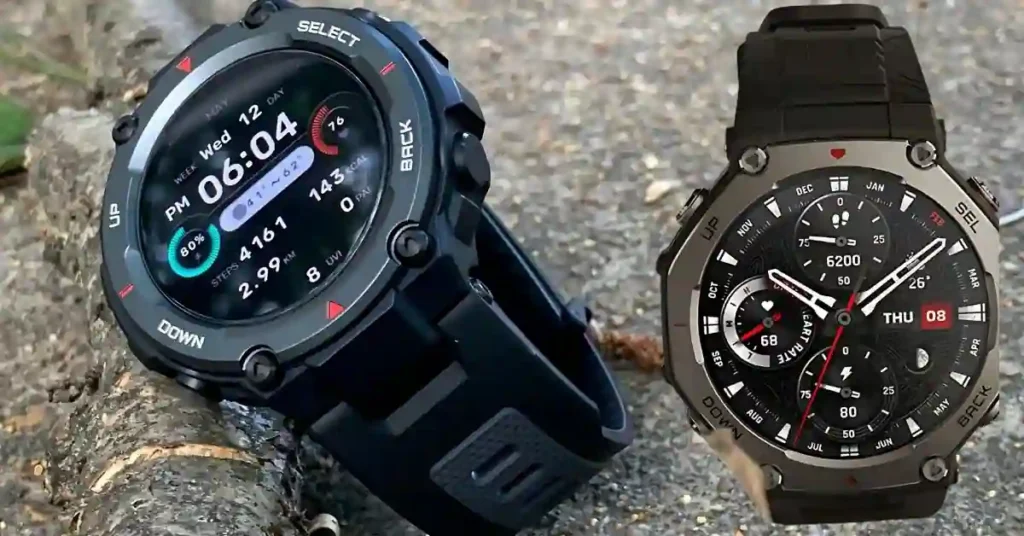

New to the T-Rex 3? Read our complete Amazfit T-Rex 3 review before diving into firmware details.
The Amazfit T-Rex 3 is solidifying its position as one of the most competitive rugged smartwatches of 2026. Just days after adding podcast support, Zepp Health has released Firmware Version 4.4.2.3. indoor cyclists, outdoor navigators, and long-term owners
While this update focuses on “backend refinements,” it introduces high-performance tools for indoor cyclists, outdoor navigators, and long-term owners, further closing the gap between Amazfit and premium brands like Garmin in specific training scenarios.
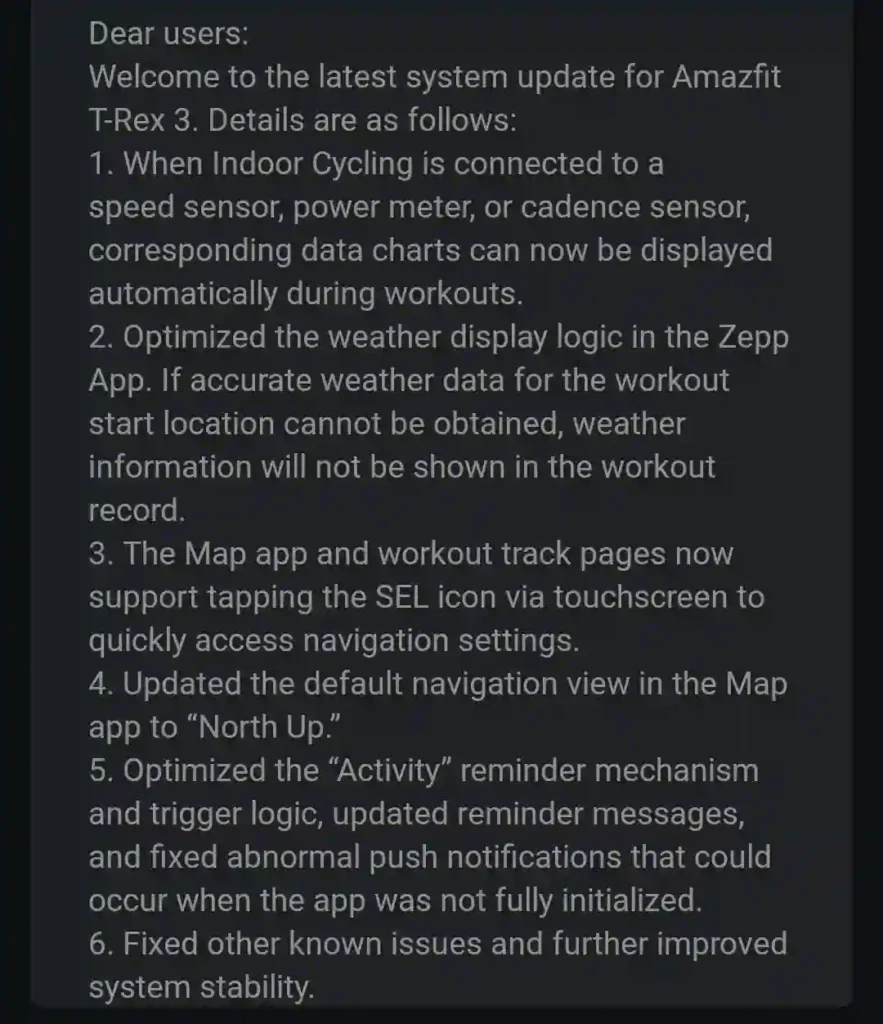
Update Quick Summary: Amazfit T-Rex 3 Firmware 4.4.2.3 enables real-time cycling power/cadence charts for external sensors, sets “North Up” as the default map orientation, and officially extends the device’s software support until September 2027.
Indoor Cycling: Real-Time Workout Charts
For athletes training indoors, the T-Rex 3 now functions as a legitimate cycling dashboard.
- The Upgrade: When the watch is paired with external Bluetooth (BLE) accessories—specifically power meters, speed sensors, or cadence sensors—it now generates real-time workout charts directly on the display.
- Why it matters: In previous versions, users had to wait until after a workout to see performance trends in the Zepp App. Now, you can monitor your power consistency or RPM visually mid-ride, making it far more effective for structured HIIT or Zone training sessions.
Map & Navigation: “North Up” Default
Zepp Health has made a deliberate shift in how the T-Rex 3 handles spatial orientation, favoring experienced outdoor enthusiasts.
- “North Up” Navigation: The default map view is now static with North at the top. While casual users often prefer “Head Up” (map rotates with you), “North Up” is the gold standard for hikers who want to match their watch to a physical map or consistent cardinal directions.
- Fast Access SEL Icon: A new clickable SEL icon on the map and workout pages allows for one-tap access to navigation settings. This is a massive usability win when you’re wearing gloves or moving at a high heart rate.
Reliability: Notifications & Weather Logic
This firmware update also polishes the day-to-day experience by removing “data noise.”
- Smarter Weather Summaries: If the watch cannot verify a high-accuracy GPS location at the start of a workout, it will now omit weather data from the final summary rather than providing a potentially misleading or blank report.
- Initialization Fix: Fixed a specific bug where “abnormal” push notifications would appear if the Zepp App hadn’t fully initialized on the paired smartphone.
Official Support Extended to 2027
The biggest news for T-Rex 3 owners is the extension of software support. Zepp Health has officially updated its support documentation to guarantee firmware and security updates until September 2027.
This moves the device’s lifecycle forward by a full year, mirroring the support window of the Pro models and making the T-Rex 3 a more “future-proof” investment in the mid-range rugged category.
❓ FAQ: Updating Your Amazfit T-Rex 3
How do I install Firmware 4.4.2.3?
Open the Zepp App on your phone > Profile > Amazfit T-Rex 3 > System Update.
Do I need a power meter to see the new charts?
Yes. The real-time charts are only triggered when the watch is successfully paired with an external Bluetooth sensor (Power, Speed, or Cadence).
Why did my map orientation change?
Zepp has set “North Up” as the new default for better navigational accuracy. You can switch back to “Head Up” (Rotating) in the Map settings if you prefer.
Bottom line: While it skips headline features, Firmware 4.4.2.3 meaningfully enhances indoor training, navigation accuracy, and long-term support, strengthening the Amazfit T-Rex 3 ($249.98 on Amazon) as a compelling rugged smartwatch option.
source:- src.zepp.com and Reddit