
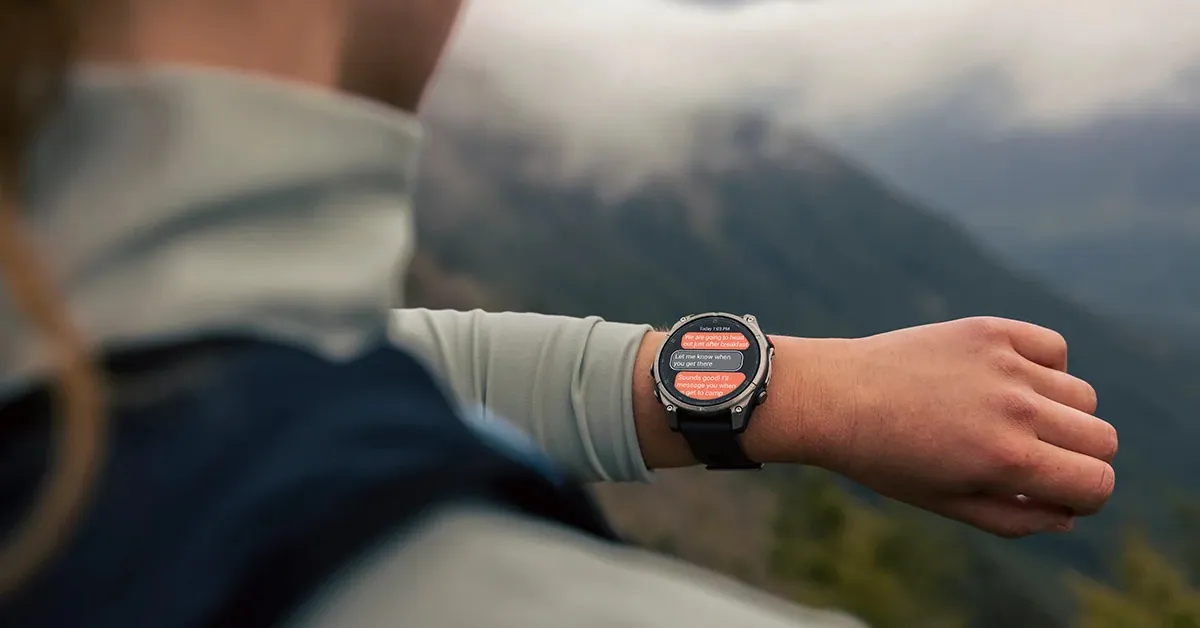
The Garmin Fenix 8 launched as one of the best GPS watches ever made. What Garmin has done through free software updates since — GPS lock times cut from 3 minutes to 5 seconds, Mixed Session activities, Battery Manager glance, WhatsApp support and now hands-free voice commands has made it meaningfully better with every release.
I track every Garmin Fenix 8 software update on this page — stable and beta — with real changelogs and honest commentary. I update it every time Garmin pushes a new version.
Whether you’re deciding whether to join Garmin’s beta program, troubleshooting post-update battery drain, or just want to know what’s new in the latest stable release — this is the only page you need.
Quick Summary: Garmin Fenix 8 Software Status (September 2026)
| Detail | Info |
|---|---|
| Latest Stable Version | 23.31 (September 9, 2026) |
| Latest Beta Version | 23.32 (September 10, 2026) |
| Current Beta Cycle | 23.xx — includes OK Garmin wake word, Indoor XC Ski, quick workout suggestions |
| Beta Caveat | ECG and Dive features disabled in v22.29+ |
| Update Method | OTA via Garmin Connect, or Garmin Express |
| Beta Enrollment | Garmin Beta Program (free, opt-in) |
| Devices Covered | Fenix 8 AMOLED, Fenix 8 Solar, Fenix 8 Pro, Enduro 3, Fenix E, Quatix 8, Tactix 8 |
Bottom line for most users: If you’re on stable, update to v23.31 — it’s the biggest feature release since v21.25, headlined by hands-free “OK Garmin” voice commands. If you use ECG or Dive features and want maximum caution, stay one beta build behind the newest release until the community forums confirm no regressions.
Check Current Price of Garmin Fenix 8 on Amazon
Latest Garmin Fenix 8 Software Update: What’s New Right Now
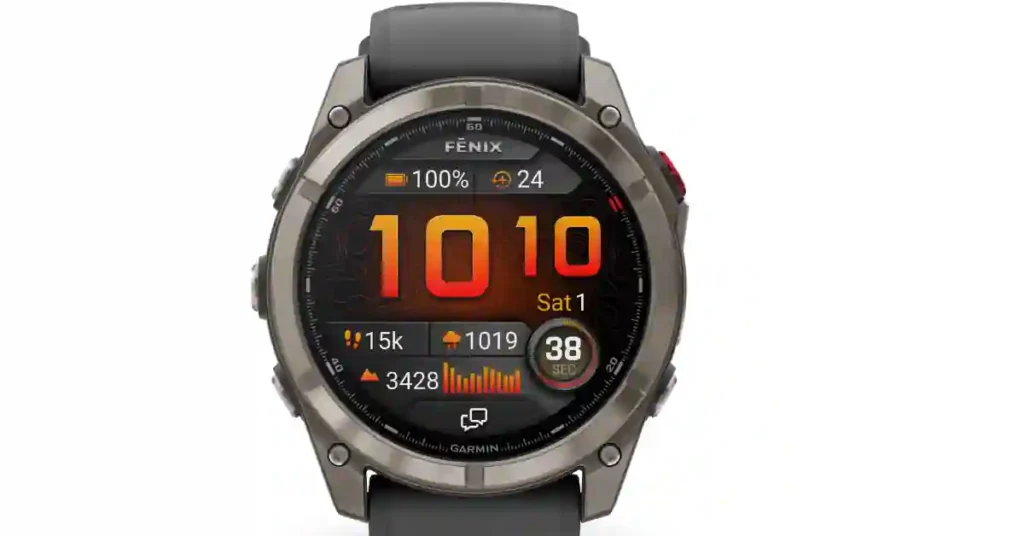
Stable v23.31 — September 9, 2026
This is the standout release since v21.25, and it landed the same week as a similar feature push to the Venu 4 — worth reading our Venu 4 Review.
Headline additions:
- “OK Garmin” voice wake word — start activities, set timers, and trigger voice commands entirely hands-free, without touching the watch first
- Suggested quick workout for running — time- and intensity-based, generated on demand
- Indoor XC Ski activity profile — new addition
- Dive computer settings sharing via the Garmin Share app
- Improved flashlight shortcut — now cycles through on, off, and strobe modes mid-activity
- Reduced false touchscreen unlocks
- Added volume-control context
Fixes in this release:
- Pace/speed dropouts during interval training
- Device resets during free-form strength workouts
- Missing onscreen lap shortcut in HIIT workouts
- Inability to start a suggested multisport workout
- Garmin Coach plan day mismatches between watch and app
- Music volume incorrectly increasing after an alarm
- Device resets when installing audio prompt and host software simultaneously
Beta v23.32 — September 10, 2026
Minor follow-up to 23.31 — general bug fixes, no major new features.
The August detour: why Garmin briefly went “backward” (new)
Worth explaining, because it confused a lot of beta users at the time: in mid-August, Garmin was nine builds deep into the 23.xx beta cycle (up to beta 23.25) when it unexpectedly paused that track and pushed a stable release on the older 22.xx branch instead — v22.43 on August 17, followed by v22.44 on August 21.
Both were security-and-stability-only patches, with 22.43’s entire changelog reading just “general security improvements.” Garmin then resumed the 23.xx beta track days later and carried it through to the September 9 stable release.
The likely explanation: a security fix needed to ship to everyone immediately, including people not on the beta track, so Garmin backported it to stable before continuing feature development. Not a sign anything was wrong with the Fenix 8 platform — just an unusual release order.
Beta v22.35 — May 22, 2026
The most recent beta build for the Fenix 8 lineup — version 22.35 — dropped on May 22, 2026. This is the fourth beta Garmin has pushed in May alone, a sign the software team is working aggressively toward a major new stable release.
Compared to the previous stable release (21.29), the v22.35 changelog contains 38 individual entries. That’s a lot. It strongly suggests the next stable update — likely landing as v22.xx stable — is going to be a substantial one.
Important: Beta v22.29 and above disable ECG and Dive features. Garmin does this intentionally during active development. If those features matter to you, stay on the stable track.
Also see: Best Budget Garmin Watches 2026 — Tested and Ranked
Beta v22.34 — May 20, 2026
Just days after v22.32, Garmin pushed v22.34 to the Fenix 8, Fenix 8 Pro, Quatix 8, Enduro 3, and Fenix 8 Pro MicroLED. The pace of updates in May has been unusually fast — a clear signal that a major stable release is in preparation.
ECG and Dive features remain disabled in this build. Changelog focuses on stability improvements and bug fixes building toward the next stable.
Beta v22.32 — May 15, 2026
Crash fixes, map improvements, weather app fixes. Garmin’s software team was clearly in aggressive bug-squashing mode with this release, addressing stability issues introduced in earlier 22.xx builds.
Beta v22.29 — May 8, 2026
This build was notable not for new features — but for fixing one of the most complained-about navigation bugs in recent memory.
The update resolved an issue that caused the device to exit the map page mid-route during recalculation. If you’ve ever been on a trail, gone slightly off course, and watched your Fenix suddenly drop the map — this was the bug.
The update also fixed:
- Crashes when routing back to the starting point
- Device resets during software installation
- Inaccurate rep counting during strength workouts
- Map display issues in multisport activity summaries
- Inconsistent battery estimates when switching between power modes
- Night vision color shift not working (Tactix 8 only)
- Spoken watch face missing on Fenix E
Note: This is the build that introduced the temporary ECG/Dive feature disable. See FAQ section for full explanation.
Beta v22.28 — May 1, 2026
Garmin kicked off the active May beta cycle with v22.28 — a relatively modest update aimed at early stability improvements.
Fixes included:
- Seconds display fix
- Map data screen fix
- Alert volume fix
- WiFi keyboard fix
Beta v22.27 — April 30, 2026
- Battery estimate fix
- Sight N’ Go crash fix
- Weather app update fix
Beta v22.21 — April 7, 2026
Three meaningful additions in this build:
- LTE activity power mode — extends battery during GPS activities on LTE models
- Man Overboard navigation — adds navigation option to last Man Overboard point
- Outdoor Maps+ QR codes — adds QR codes to layer descriptions for easier reference
Stable v21.39 — March 2026 (Unofficial Rollout)
Rolling out unofficially to some devices in March 2026. Fixes included:
- Headphone/HIIT crash fix
- Goal alert fixes
- Course Planner improvement
Stable v21.30 — February 28, 2026
Released as a confirmed stable update for the Fenix 8 Pro, Solar, Enduro 3, Fenix E, and Tactix 8. Standard stability patch — UI glitches, sensor accuracy refinements, and battery management tweaks.
Stable v21.25 — February 18–24, 2026
This is the big one. If you’ve been keeping track of Fenix 8 updates, v21.25 is the release that changed how the watch works day-to-day. Over 100 changes. Here’s what matters:
Four new glances:
- Battery Manager glance — detailed breakdown of power consumption over 14 days, showing which components (GPS, display, heart rate sensor) are doing the most damage. A long-overdue addition.
- Sports team score tracker
- Weight tracking glance
- Health behaviour impact glance — shows how daily habits (sleep, activity, stress) affect core health metrics
Mixed Session activity type: Record multiple sports in a single activity without pausing and switching profiles. Built around events like HYROX where you’re combining gym stations with running.
Structured Repeats now save: Previously, modifying interval workouts on the fly meant those changes vanished. Now they carry forward. Any runner who does track work knows how annoying that was.
GPS Pace improvements: More responsive pace during activities — particularly noticeable in dense urban environments.
Voice Command expansion: Launch the Health Status app using voice commands.
Timed cardio training plans: Features previously more associated with Forerunner and Venu lines.
Full Garmin Fenix 8 Update History & Changelog (updated through September 2026)
| Version | Type | Date | Key Changes |
|---|---|---|---|
| 23.32 | Beta | Sep 10, 2026 | Minor bug fixes |
| 23.31 | Stable | Sep 9, 2026 | OK Garmin wake word; suggested quick workouts; Indoor XC Ski; dive settings sharing; pace dropout, strength reset, HIIT lap fixes |
| 23.28 | Beta | Sep 3, 2026 | Music playback fix (Connect IQ apps); silent-mode voice alert fix; golf map panning fix |
| 23.27 | Beta | Aug 26, 2026 | Display gesture-response fix; always-on display fix; phone assistant fix |
| 22.44 | Stable | Aug 21, 2026 | Display gesture-response fix (see “August detour” above) |
| 23.26 | Beta | Aug 19, 2026 | Phone assistant voice recognition fix; music volume fix |
| 22.43 | Stable | Aug 17, 2026 | Security-only patch (see “August detour” above) |
| 23.25 | Beta | Aug 14, 2026 | Activity-save reset fix; Wake Word detection fixes; Tactix Stealth Mode fix |
| 23.24 | Beta | Aug 12, 2026 | Same as 23.25 — reissued build |
| 23.22 | Beta | Aug 6, 2026 | Pace/speed dropout fix; multiple reset/crash fixes; music volume slider fix |
| 23.19 | Beta | Jul 28, 2026 | PacePro plan fix; dive auto-start crash fix; multiple reset fixes |
| 23.18 | Beta | Jul 27, 2026 | Same as 23.19 — reissued build |
| 22.41 | Stable | Jul 22, 2026 | Golf activity reset fix; treadmill calibration fix |
| 23.15 | Beta | Jul 20, 2026 | Flashlight shortcut cycling improvement; music-related reset fixes |
| 23.13 | Beta | Jul 14, 2026 | Alarm/music volume fixes; indoor climb crash fix |
| 22.39 | Stable (Fenix 8 Pro only) | Jul 9, 2026 | Battery drain fix; voice call issue fix |
| 23.12 | Beta | Jul 2, 2026 | Treadmill calibration fix |
| 23.11 | Beta | Jun 30, 2026 | First appearance of OK Garmin wake word, quick workout suggestions, Indoor XC Ski (beta-tested here before Sept stable release) |
| 22.38 | Stable | Jun 22, 2026 | Golf crash fix; dive depth auto-ascend fix; LTE LiveTrack fix (Pro) |
| 22.37 | Beta | Jun 17, 2026 | Same fixes as 22.38, pre-release |
| 22.35 | Stable | May 28, 2026 | 100+ Messenger, WhatsApp, ECG-touch, and reset fixes; CT1 golf sensor support |
| 22.35 | Beta | May 22, 2026 | Same as above, pre-release |
| 22.34 | Beta | May 20, 2026 | Multisport freeze/reset fixes |
| 22.32 | Beta | May 16, 2026 | Same as 22.34 |
| 22.29 | Beta | May 10, 2026 | Route recalculation map-exit fix; rep-count fix; multiple reset fixes |
| 22.28 | Beta | May 2, 2026 | Seconds display, map data, alert volume, WiFi keyboard fixes |
| 22.27 | Beta | Apr 30, 2026 | Battery estimate, Sight N’ Go, weather app fixes |
| 21.41 | Stable (Fenix 8 Pro) | Apr 27, 2026 | Miscellaneous fixes |
| 22.26 | Beta | Apr 25, 2026 | Notification center, music marquee, LiveTrack crash fixes |
| 22.24 | Beta | Apr 18, 2026 | Incoming call, LiveTrack, SOS countdown fixes |
| 22.23 | Beta | Apr 17, 2026 | Approach CT1 club sensor support; per-activity LiveTrack toggle |
| 22.21 | Beta | Apr 7, 2026 | LTE activity power mode; Man Overboard navigation; Maps+ QR codes |
| 21.39 | Stable | Mar 19, 2026 | Headphone/HIIT crash fixes; course planner improvements |
| 21.35 | Beta | Mar 11, 2026 | ECG/Aviation/Dive re-enabled; stability fixes |
| 21.30 | Stable (Fenix 8 Pro) | Feb 28, 2026 | Bug fixes and stability improvements |
| 21.25 | Stable | Feb 18, 2026 | 100+ changes: Battery Manager glance, Mixed Session, Fitness Coach, GPS pace improvements — the previous standout release |
| 20.29 | Stable | Jan 15, 2026 | Dive activity crash fix; airport list fix |
| 20.19 | Stable | Nov 5, 2025 | Health Status glance; GroupRide; Power Guide; 100+ fixes |
| 18.51 | Stable (Fenix 8 Pro) | Sep 17, 2025 | Messenger call improvements |
| 17.30 | Stable | Sep 10, 2025 | inReach, altitude, notification fixes |
| 15.33 | Stable | Jul 18, 2025 | Major feature cycle, 99+ changes |
| 12.38 | Stable | Feb 10, 2025 (originally listed as Dec 2024 — corrected date) | GPS firmware 2.11 → 2.60; lock time from 20–180s to ~5s |
| 12.35 | Stable | Dec 13, 2024 | Bug fixes; Workout Execution score restricted |
| 11.68 | Stable | Oct 4, 2024 | Cold water shutdown fix; rapid temperature change crash fix |
Full changelog for every build, including minor beta releases not listed above, is maintained on Garmin’s own forums — linked from each entry where available.
Best New Features Added to Fenix 8 Since Launch
OK Garmin Voice Wake Word — v23.31 (September 2026)
Hands-free is finally here in a real sense. Say “OK Garmin” to start activities, set timers, or trigger other voice commands without touching the watch. First appeared in beta back in v23.11 (June 30), refined over the summer, and shipped stable in September.
GPS Accuracy Fix — v12.38 (February 2025)
The GPS firmware upgrade from v2.11 to v2.60 fixed what was becoming a serious issue. GPS lock times had stretched to 20 seconds to three minutes in the wild.
Post-update, five seconds became the norm again. For runners who press start and immediately move, this single fix was worth more than any marketing feature addition.
Battery Manager Glance — v21.25 (February 2026)
The absence of a real battery management glance was a long-standing complaint from ultramarathon runners and multi-day hikers.
The v21.25 Battery Manager glance finally gives you detailed power mode status at a wrist raise — showing exactly which components are consuming battery over the past 14 days.
Pair it with the existing battery percentage and you’ve got genuine situational awareness mid-expedition.
Mixed Session Activity — v21.25 (February 2026)
HYROX events, adventure races, and cross-training got a major quality-of-life improvement. Mixed Session lets you log a combination of activities in a single unbroken record. It formalizes what users had been hacking together manually for years.
Structured Interval Save — v21.25 (February 2026)
Coaches and self-trained athletes who modify intervals on the fly no longer lose those changes between sessions. If you’re running a track workout and decide to cut a rep or extend rest mid-session, that adjusted structure carries forward. Small change, outsized daily impact.
Body Battery TrueUP — v13.31 (Early 2025)
Synchronizes your Body Battery reading across multiple Garmin devices. If you wear a Garmin ring or secondary watch, your recovery status is now consistent no matter which device you check.
Passcode Protection — v13.31 (Early 2025)
A meaningful security addition for anyone who stores health data they’d prefer to keep private or uses the watch’s NFC payment features.
LTE Activity Power Mode — v22.21 (April 2026)
Adds a new power mode specifically for LTE activities — extending battery life during GPS activities on LTE-equipped models. Useful for long-course athletes who rely on connectivity during multi-hour events.
Common Garmin Fenix 8 Update Problems — And How to Fix Them
Problem 1: High Battery Drain After Update
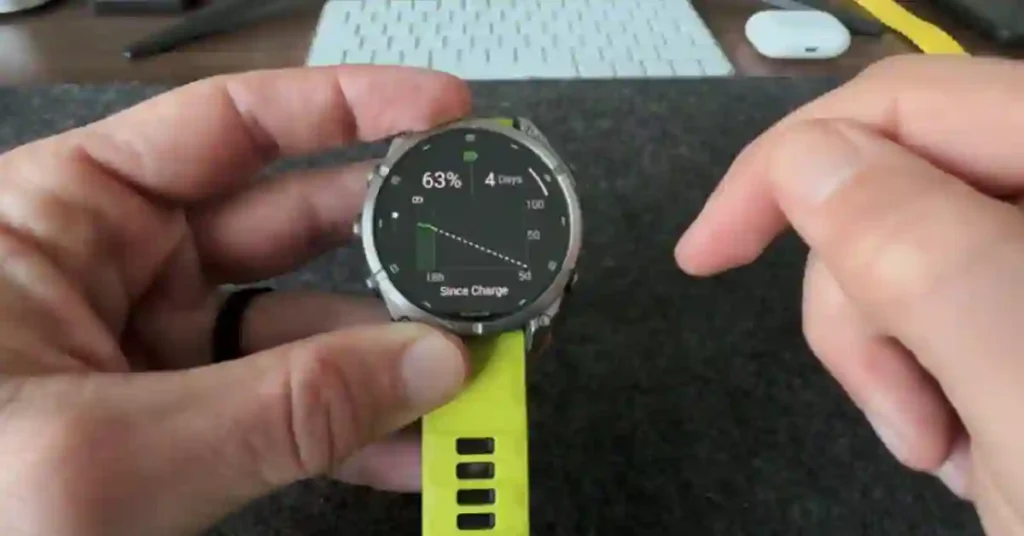
The most commonly reported issue after any Fenix firmware update. It appears in some form after nearly every major version.
What to try:
- Full restart — hold power button, select Restart (not Power Off)
- Run through at least one full charge cycle before drawing conclusions
- Check for rogue Connect IQ apps running background processes — these have been explicitly linked to excessive drain in multiple changelogs
- If drain persists after 48 hours on a stable release, monitor Garmin Community forums — battery bugs are typically patched quickly
Notable recent example: v22.39 (Fenix 8 Pro, July 2026) specifically shipped to fix a battery drain issue — a good reminder that Garmin does move quickly on confirmed battery regressions.
Also see: Why Is My Fitbit Battery Draining Fast? — Fixes That Work
Problem 2: GPS Issues After Update
GPS problems were most severe before the v12.38 firmware upgrade. If you’re still on an older version, updating to get GPS firmware v2.60 alone justifies the update.
If you’re current and still seeing GPS lag:
- GPS reset: Settings → Sensors & Accessories → GPS → Recalibrate
- Force a time sync through Garmin Connect
- Do a 10–15 minute outdoor session with open sky to rebuild the satellite almanac
Problem 3: Device Crashes and Restarts
| Crash Type | Fixed In |
|---|---|
| Cold water shutdown | v11.68 |
| Passcode device lock | v13.32 |
| Headphone/HIIT crash | v21.39 |
| Route recalculation crash | v22.29 |
| Strength rep counting crash | v22.29 |
| Multisport freeze/reset | v22.34 |
| Golf activity crash | v22.38, v22.41 |
| Indoor climb crash | v23.13 |
| Activity-save reset (Wake Word related) | v23.24/23.25 |
If you’re experiencing restarts, update to the latest stable version before assuming hardware fault.
Problem 4: ECG and Dive Features Missing After Beta Update
Not a bug — this is intentional in beta builds v22.29 and above. Garmin temporarily disables these features during active development cycles. Two solutions: switch back to stable, or wait for a later beta build where they’re re-enabled.
Garmin re-enabled these features in v21.35 before pushing to stable — expect the same pattern in the v22.xx stable release.
Problem 5: Sync Issues with Garmin Connect
- Force-close Garmin Connect and reopen
- Toggle Bluetooth off and back on
- Manual sync: open Garmin Connect, pull down to refresh
- If persistent: remove and re-pair the watch in Garmin Connect settings
Should You Install Garmin Fenix 8 Beta Updates?
| Factor | Stable | Beta |
|---|---|---|
| Stability | High | Variable |
| Feature access | Current features | Weeks/months early |
| ECG/Dive support | ✅ Always | ⚠️ Disabled in v22.29+ |
| Battery predictability | Consistent | Can vary |
| Update frequency | Every few months | Weekly or bi-weekly |
| Best for | Athletes, everyday users | Tech enthusiasts, testers |
Install beta if: You want early features — the OK Garmin wake word and Indoor XC Ski profile were both testable in beta from late June, over two months before the September stable release — don’t rely on features still under active development, aren’t in race season, and are happy contributing bug reports.
Stick to stable if: You’re in active race season, use ECG for health monitoring, use the Fenix as a dive computer, or need maximum battery predictability for multi-day expeditions.
How to Update Garmin Fenix 8
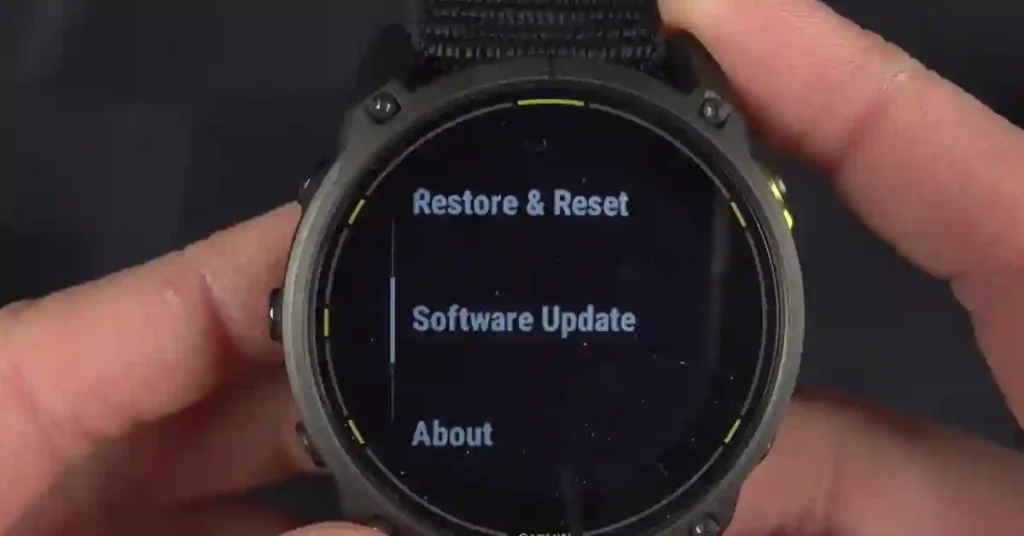
Method 1: OTA via Garmin Connect (Recommended)
- Make sure Garmin Connect is installed and your watch is paired
- Open Garmin Connect → tap your watch → Software Update
- If available, tap Download and Install
- Keep phone nearby — transfer is wireless via Bluetooth
- Watch restarts automatically when complete
Method 2: Manual Check on Watch
- Hold the Menu button (top right)
- Go to Settings → System → Software Update
- Tap Check For Updates
Use this when you know an update exists but it hasn’t been pushed to your device yet — Garmin rolls out in batches.
Method 3: Garmin Express (Desktop)
- Download Garmin Express from garmin.com
- Connect your Fenix 8 via USB
- Express detects and installs updates automatically
How to Join the Garmin Beta Program
- Go to connect.garmin.com/modern/account/software-beta
- Sign in with your Garmin account
- Select your Fenix 8 model and enable beta participation
- Next available beta build appears as OTA within 24 hours
To leave beta: disable participation in the same menu. You’ll revert to stable on the next official stable release — Garmin does not support manual rollbacks.
Garmin Fenix 8 Software Roadmap: What’s Coming in 2026
v22.xx Stable Release — Expected June 2026
With four beta builds in May alone and 38+ changelog entries accumulated in v22.35, the next stable release is clearly in late-stage preparation. Based on Garmin’s typical release pattern, expect an official v22.xx stable around June 2026 — potentially the largest feature update since v21.25.
Deeper AI Training Integration
The trend across recent updates — Body Battery TrueUP, Daily Suggested Workouts, health behaviour tracking — points toward more connected coaching. Deeper integration between HRV data, sleep scores, and workout recommendations seems like the logical next evolution.
Navigation Platform Improvements
The LTE activity power modes (v22.21) and ongoing map stability work across multiple v22.xx builds suggest continued investment in the Fenix as a serious navigation tool. Better route management and offline map enhancements are likely in H2 2026.
Fenix 9 Context
Fenix 9 rumours are circulating, but Garmin’s track record shows sustained software support for current hardware. The Fenix 7 still receives updates. Fenix 8 owners can expect meaningful additions well into 2027.
Frequently Asked Questions
What is the latest Garmin Fenix 8 software version?
As of May 27, 2026: confirmed stable is v21.30, with v21.39 rolling out unofficially to some devices. The latest beta is v22.35, released May 22, 2026.
Is it safe to install Garmin Fenix 8 updates?
Stable updates are safe for all users and recommended. Beta updates carry some risk — the current v22.xx beta cycle temporarily disables ECG and Dive features. Stay on stable if those features are important to you.
How do I install Garmin Fenix 8 beta updates?
Enroll at connect.garmin.com, select your device, enable beta participation. Updates push OTA automatically or trigger manually via Settings → System → Software Update → Check For Updates.
Why is my Fenix 8 battery draining fast after an update?
Usually resolves within 24–48 hours as the device re-indexes data. Check for Connect IQ apps running in the background, perform a full restart, and complete a full charge cycle. Critical battery bugs get patched quickly on the stable track.
Does Garmin Fenix 8 update automatically?
Yes — stable updates install automatically overnight when charging and connected to Garmin Connect. You can also check manually anytime via Settings → System → Software Update.
Why is my ECG not working after a beta update?
Garmin intentionally disables ECG in beta v22.29 and above during active development. This is not a bug. Revert to stable if ECG is a priority, or wait for a later build where it’s re-enabled.
Can I roll back a Garmin Fenix 8 firmware update?
No. Garmin does not support firmware rollbacks. Consider this before joining beta mid-season or before a major race.
What is the best Garmin Fenix 8 update so far?
v21.25 (February 2026) — over 100 changes including Battery Manager glance, Mixed Session activity, structured interval saving, and GPS pace improvements. For stability fixes, v12.38’s GPS firmware upgrade from 2.11 to 2.60 was the single most impactful patch.
How long does a Garmin Fenix 8 update take?
OTA via Bluetooth: 10–20 minutes. Garmin Express via USB: 5–10 minutes. The watch restarts once during installation.
What happens if my Fenix 8 gets stuck during an update?
Hold power for 15 seconds to force restart. If unresponsive after multiple attempts, connect to Garmin Express via USB — it has recovery capabilities that OTA doesn’t.
Which Garmin Fenix 8 models does this update apply to?
All current Fenix 8 variants: Fenix 8 AMOLED, Fenix 8 Solar, Fenix 8 Pro (AMOLED and Solar), Enduro 3, Fenix E, Quatix 8, and Tactix 8. The Fenix 8 Pro MicroLED follows a slightly different release path.
Related Guides on SmartWatchInsight
- 8 Best Budget Garmin Watches 2026 — Tested and Ranked
- Best Rugged Smartwatches 2026 — Garmin, Apple, Amazfit
- Best Garmin Watches for Runners 2026
- Garmin CIRQA Smart Band — Garmin’s Whoop Alternative
- Garmin Forerunner 165 Full Review
- Best Smartwatches 2026 — Top 10 Tested and Ranked
Final Verdict
The Garmin Fenix 8 at launch was a great watch. The Garmin Fenix 8 in mid-2026 is meaningfully better — more features, more reliable GPS, better battery visibility, and a steadily shrinking list of annoying bugs.
v21.25 was the standout update of the first half of the Fenix 8’s software history. v23.31 now matches it as the standout of the second half — headlined by OK Garmin, arguably the single most requested convenience feature this platform has added. v12.38 remains the most critical fix. Fenix 9’s arrival hasn’t slowed down Fenix 8 development — if anything, September’s release proves the opposite.
Keep updating. This watch keeps getting better.
Written by Sunil Bhatt — Wearable Technology Reviewer, SmartWatchInsight.com I track Garmin software updates across all major models. This page is updated every time Garmin pushes a new stable or beta release. Last Updated: May 27, 2026
source – https://forums.garmin.com/beta-program/fenix-8-series/