
Hey Suunto Runners! Get ready for a fresh, personalized look on your wrist. The latest software update, 3.22.24 FORWARD RUN, is rolling out now to Suunto Run users and brings a highly requested feature right to your AMOLED display.
This staged update focuses on combining personal touch with performance improvements—because your running watch should be as unique as your training journey!
Suunto Run Custom Watch Face: Add Your Own Photo Shield
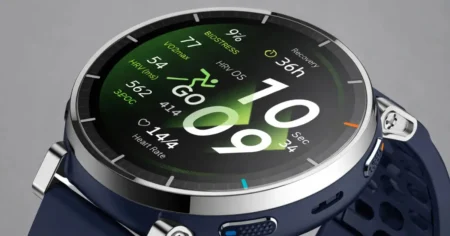
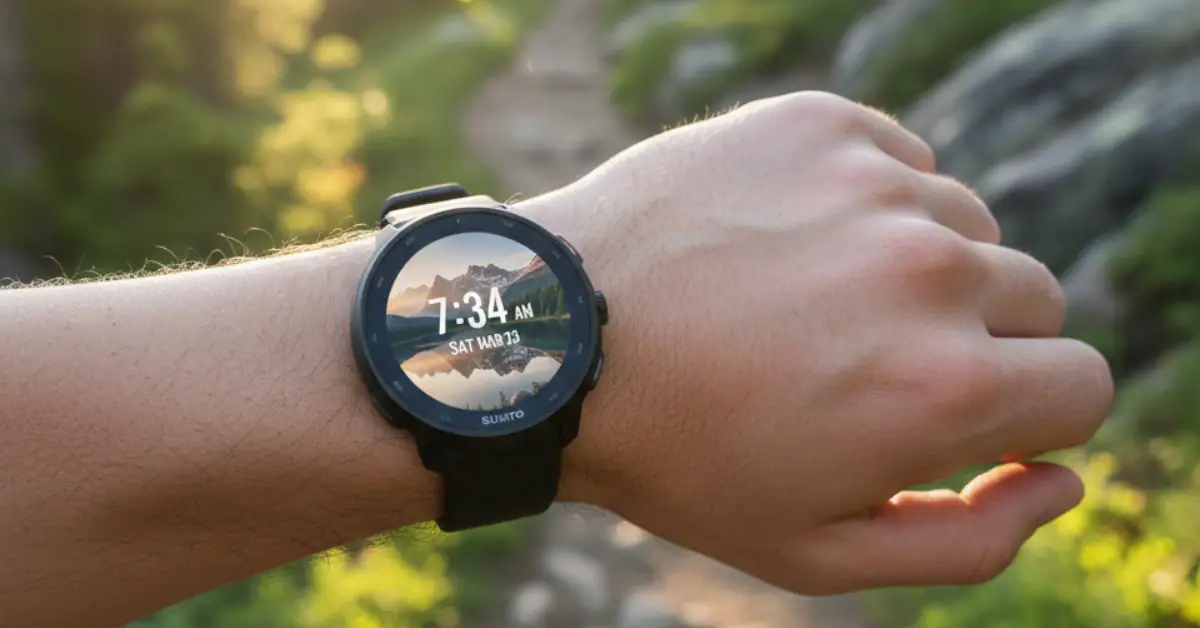
The most prominent headline feature of this official update is a game-changer for personalization: the ability to add your own photo as a shield/background on your watch face.
This new feature directly addresses the top request for a personalized Suunto Run experience!
Forget generic digital faces! With this new functionality, you can upload your favorite pictures via the Suunto App and download them directly to your watch.
Imagine glancing down at a stunning landscape photo from your last trail run, a motivational quote, or even a picture of your loved ones to keep you going strong.
The display quality is crisp and detailed, allowing your chosen image to shine and truly make your Suunto Run an extension of your personal style.
How to Set Your Personalized Photo Watch Face:
To quickly apply your custom image after updating your watch and app:
- Open the updated Suunto App (v6.5.6 Android / v3.6.0 iOS).
- Navigate to the Watch Faces customization settings.
- Select the new Photo Watch Face option.
- Upload your desired image from your phone’s gallery.
- Sync your watch with the app to download and apply the new shield!
Fixing Operation Algorithms: Enhanced System Stability
Beyond the new aesthetic feature, the Suunto Run 3.22.24 update also includes crucial performance enhancements. The release notes confirm fixes to the operation algorithms and improvements to system stability.
While these fixes are often “under the hood” and less glamorous than new features, they are essential to a smooth, reliable user experience. This means:
- Improved Stability: A more robust operating system minimizes unexpected hiccups.
- Better Operation: Refined algorithms ensure your watch’s core functions—like tracking, heart rate monitoring, and data processing—work optimally during every run, from track intervals to long efforts.
Requirements for Suunto Run 3.22.24 Forward Run
To unlock the new custom photo shield feature and benefit from the stability improvements, you need to ensure your connected Suunto App is updated to the required version:
Platform Minimum Required App Version
- Android 6.5.6
- iOS 3.6.0
If you haven’t received the update yet, don’t worry! Suunto often rolls out updates in phases. Keep your watch charged (at least 50%) and connected to the Suunto App via your phone.
The watch software update will typically download automatically when available—you can also try installing it manually in Settings > General > Software update on your watch.
Source Link: Suunto Run Software updates
The Suunto Run 3.22.24 FORWARD RUN update is a fantastic step in making the experience more personal and reliable—time to snap that perfect picture and truly run your story.
Have you successfully installed the Suunto Run 3.22.24 update? What photo are you using for your new watch face shield? Let us know in the comments below!