
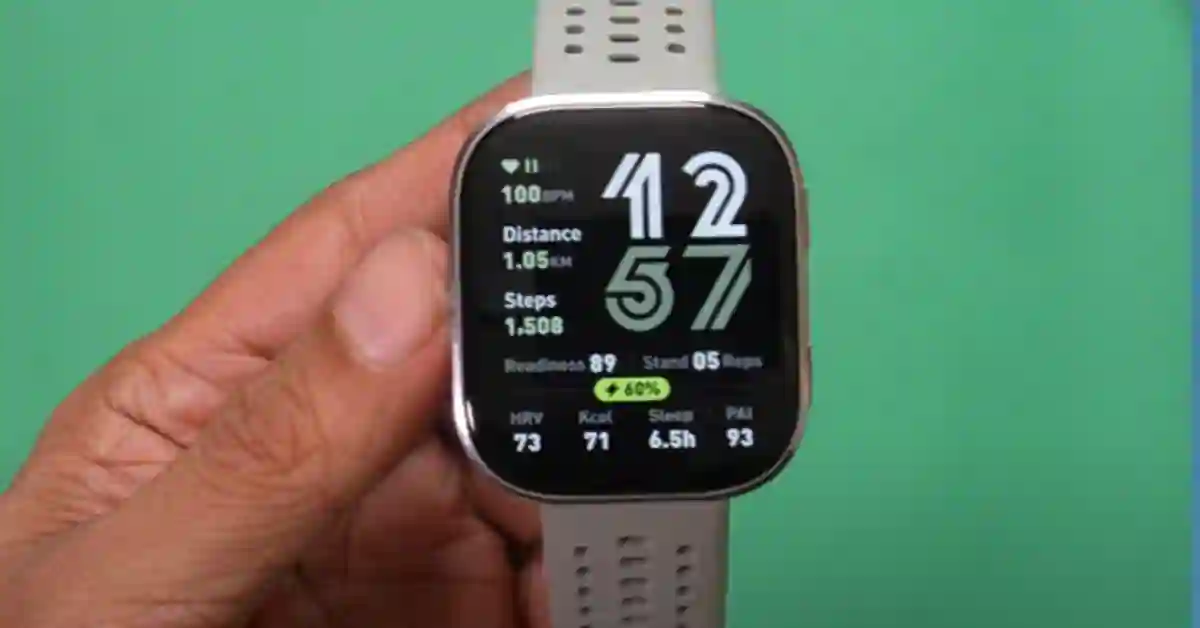
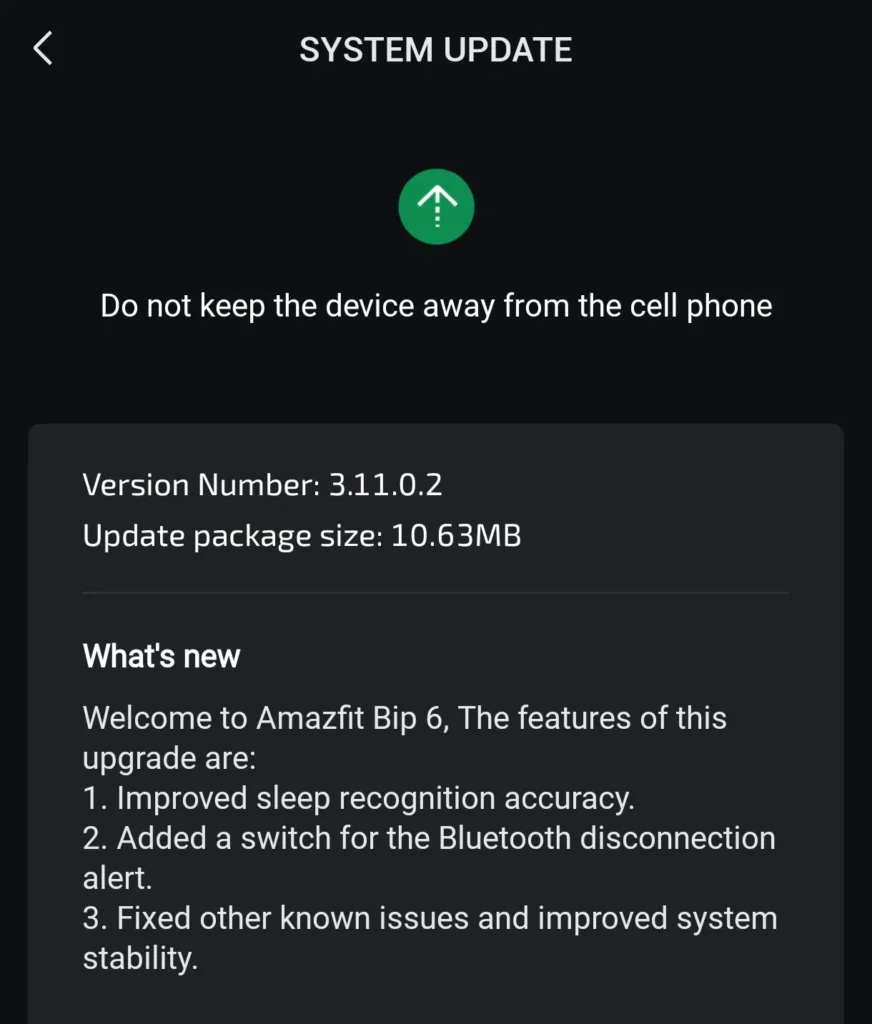
The Amazfit Bip 6 finally gets one of its most requested features — Bluetooth disconnection alerts — in the latest firmware 3.11.0.2 update. Here’s what’s new, how it works in real use, and whether you should install it today.
Amazfit Bip 6 Update 3.11.0.2 — Key highlights
- Bluetooth disconnection alerts — now native
- Improved sleep recognition accuracy
- General stability improvements
- Update size: 10.63 MB OTA
- Firmware 3.11.0.2·10.63 MB·Rolling out via Zepp app
What’s new in Amazfit Bip 6 firmware 3.11.0.2
The Amazfit Bip 6 firmware 3.11.0.2 update is a compact but purposeful release. The changelog is short — three items — but one of them is a feature Bip 6 owners have been requesting since launch.
Bluetooth disconnection alerts arrive natively for the first time, alongside a sleep tracking accuracy refinement and broader stability fixes.
It is not the longest changelog Amazfit has ever shipped, but quality beats quantity here. One genuinely useful, daily-use feature is worth more than a list of wellness metrics nobody opens.
Bluetooth disconnection alerts: how it works
The mechanic is simple: when the Bip 6 loses its Bluetooth connection to your paired phone, the watch vibrates immediately to notify you. No notification, no banner — just a haptic alert the moment the link drops.
In practical terms, Bluetooth range on most devices is roughly 8–10 metres in open space, less through walls.
That means the moment you walk far enough away from your phone — leaving it on a desk, in a changing room, in the back of a car — you get a wrist buzz. It is a small window, but often enough to double back before the phone is out of sight entirely.
A secondary benefit: if your watch stops showing notifications and you can’t figure out why, the disconnect alert immediately tells you whether the Bluetooth link has dropped — eliminating guesswork about whether the issue is with the watch, the Zepp app, or your phone’s notification settings.
Why this feature actually matters
A disconnect alert is one of those features that sounds minor until you need it. The Amazfit Bip 6 is marketed as an everyday wearable — affordable, lightweight, always on the wrist. That makes it a natural anti-loss tool, and the disconnect alert is what completes that use case.
The omission had been particularly conspicuous because other Amazfit watches — including the Amazfit Balance and select models in the T-Rex range — already supported Bluetooth disconnection alerts.
This is a software-level capability, not a hardware requirement. It looked less like a technical limitation and more like a feature that simply hadn’t been prioritised for the Bip 6 yet.
Some users had been running the third-party Bluetooth Alert app from the Zepp Health App Store as a workaround — it offered customisable vibration patterns and worked reasonably well.
But native is better: no extra install, no compatibility risk when Zepp OS updates roll out, no background app overhead. The feature now belongs to the watch itself.
Related reading
- Amazfit Balance review: is the upgrade worth it over the Bip 6?
- Amazfit Bip 6 vs Active 2: which budget smartwatch should you buy?
Sleep tracking improvements explained
The firmware also lists improved sleep recognition accuracy, though Amazfit has not elaborated on what specifically changed.
Whether that means more accurate bedtime detection, sharper wake-time logging, better identification of overnight disturbances, or refined light and deep sleep stage separation — we don’t know yet.
Sleep tracking on budget smartwatches is always a compromise compared to dedicated sleep monitors, and a changelog line without specifics warrants cautious optimism rather than celebration.
That said, any tightening of the accuracy here is a welcome step. Users who track sleep data daily will be best placed to judge the difference over several nights after installing the update.
How to update Amazfit Bip 6 to firmware 3.11.0.2
- Open the Zepp app on your paired iOS or Android phone.
- Tap your Bip 6 device profile at the top of the home screen.
- Scroll down and tap Firmware Update. If available, the 3.11.0.2 update will appear here.
- Ensure the watch battery is above 50% before confirming the install.
- Keep the watch within Bluetooth range of your phone throughout. The update takes 3–5 minutes.
If the update hasn’t appeared yet, it is likely in staged rollout. Amazfit typically completes global rollout within a few days of the initial release. Check back tomorrow if it’s not showing today.
Should you install this Amazfit Bip 6 update?
The verdict
Yes — install it. The Bluetooth disconnection alert alone makes this update worth your time. It’s a practical, daily-use improvement that Bip 6 owners have been asking for since launch, and it arrives alongside an improved sleep tracking engine and stability refinements.
The update is small, the installation is painless, and the feature is immediately useful. There’s no reason to wait.
FAQ: Amazfit Bip 6 Update 3.11.0.2
Q: Does Amazfit Bip 6 now support Bluetooth disconnection alerts?
Yes, firmware 3.11.0.2 introduces native Bluetooth disconnect alerts.
Q: What is the size of the update?
The update is approximately 10.63 MB.
Q: Is this update worth installing?
Yes, especially for the new Bluetooth alert feature, which adds real everyday value.